
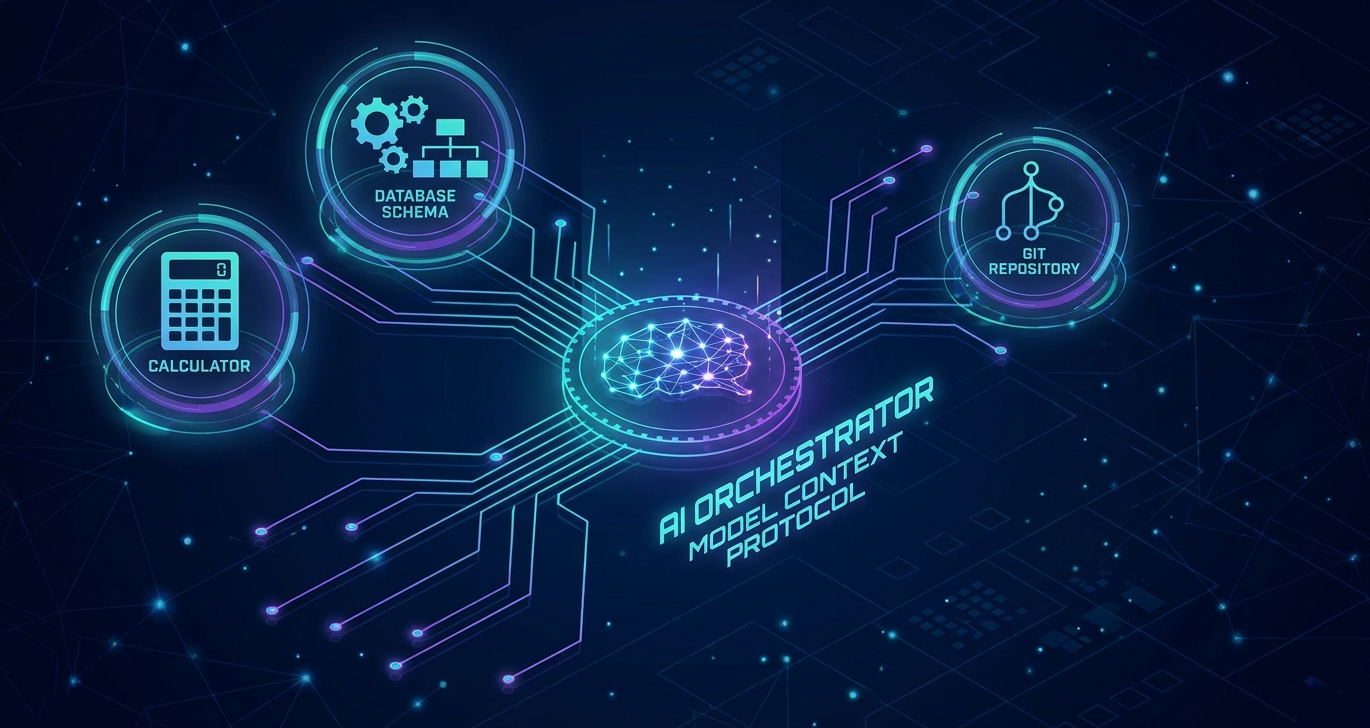
From Edge to Enterprise Cloud: Part 2 — Tool Orchestration with the Model Context Protocol
In our first installment, From Edge to Enterprise-Cloud: Part 1: Building a Cost-Free Local Loop with Foundry Local, we established a completely offline, hardware-accelerated local loop using Microsoft Foundry Local. By embedding Small Language Models (SLMs) directly into our application process space, we eliminated network latency and per-token cloud costs. But an assistant that only chats is just a calculator that writes prose. To build a true agent, we must give it hands and eyes: the ability to read files, query databases and execute native system APIs.
Before the Model Context Protocol (MCP), adding tools to an agent meant writing custom integrations for every single tool and model. Switch your orchestrator, and you rewrite your wrappers. Switch your model, and you retune your parser.
In this second installment, we shift our focus from raw inference to agentic tool orchestration. We will explore how the open-source MCP standardizes how models connect to external capabilities. We will compare local stdio transport boundaries with cloud-hosted managed toolboxes, build a raw offline stdio connection in Python and C# and run a structured study measuring how much tool-schema rigor actually affects compact local SLM reliability compared to cloud-hosted frontier models.
Standardizing the Tool Boundary with MCP
Decoupling the tool definition from the calling model is the core mission of the Model Context Protocol. Instead of creating bespoke integrations, MCP establishes a clean client-server architecture over a standardized JSON-RPC protocol:
- The Host Application (Orchestrator): Controls the model’s reasoning loop, prompt history and overall application state
- The MCP Client: An embedded client within the host application that connects to tool servers, discovers their capabilities and passes their JSON schemas directly to the chat backend
- The MCP Server: A separate, lightweight process or remote service that declares tool schemas (capabilities), resources and prompts and executes them on behalf of the client
For local development or disconnected edge environments, the host application spawns the MCP server as an out-of-process subprocess using standard input and output (stdio) as the transport layer. The client launches the server process (e.g., via npx or uvx) and sends JSON-RPC requests via standard input (stdin), receiving tool outputs back over standard output (stdout).
Stdio Subprocesses vs. Managed Cloud Toolboxes
As our architectures migrate from edge prototyping to cloud production, the physical transport mechanism must evolve. Managing stdio subprocesses across distributed microservices is impractical in enterprise cloud deployments: we trade local stdio pipes for centralized, managed endpoints.
Below is the architectural trade-off between the local edge transport and the enterprise cloud equivalent:
| Feature / Metric | Local MCP Server (Stdio-Based) | Managed Foundry Toolbox (Cloud) |
|---|---|---|
| Communication Transport | Out-of-process stdio pipes (stdin and stdout) | Secured HTTPS endpoint with Server-Sent Events (SSE) |
| Security Context | Inherits local user permissions and machine privileges | Centralized Entra ID identities, RBAC and explicit consent policies |
| Deployment & Scaling | Manual local installation of Node.js, Python or Docker | Centralized portal registration, versioning and elastic scaling |
| Best Suited For | Local file manipulation, fast prototyping and offline edge AI | ERP integrations, secured web searches and governed databases |
In Azure AI Foundry, Foundry Toolboxes let you bundle multiple local tools, web searches, secure code interpreters and remote MCP servers behind a single, managed, cloud-native endpoint. The agent code remains completely free of passwords and tokens, referencing only the project connection name.
Why We Avoided High-Level Agent Frameworks
If you inspect the code in our companion repository, Frezz146/from-edge-to-enterprise-cloud, under the part02-mcp-orchestration folder, you will notice a deliberate architectural choice: we do not use high-level agent frameworks.
Both the Python and C# tracks are built directly on the raw MCP and chat-completion SDKs.
High-level frameworks are convenient, but they hide the raw machinery. They auto-execute tool calls behind the scenes and only hand back the final synthesized text response. If a compact local model hallucinates an argument, makes a malformed JSON call or fails to trigger a tool entirely, a high-level framework silently absorbs the error or hides the trace.
To objectively evaluate tool-calling reliability and error rates, we need to inspect each attempt’s raw arguments and response format ourselves. Building on raw SDKs gives us absolute visibility over the wire protocol, making true performance measurement possible.
The Schema Hardening Hypothesis
While quickstarts work beautifully for simple inputs, real-world enterprise tools require complex structures. To measure the exact difference in tool-calling reliability between on-device models and massive cloud backends, our repository contains a structured, automated study: The Schema Hardening Study.
Instead of testing a single complex tool, we isolated a single variable: holding the task constant, does tightening the schema change the error rate?
We expose the exact same conceptual task, “booking a meeting”, through two distinct tools with different schema validation designs:
The Schema Variance Matrix
| Schema Dimension | Loose Schema (book_appointment_loose) | Strict Schema (book_appointment_strict) |
|---|---|---|
| Attendee Details | Flat strings (attendee_name, attendee_email) | Nested object with structured name and email properties |
| Topics | One free-text string | Array of strings |
| Priority | Untyped string, described as “how urgent” | Strict enum: low, medium or high |
| Duration | Integer (minutes) | Integer (minutes) |
| Server Validation | Minimal (the underlying type system enforces duration as a number; all other fields are accepted as unchecked strings) | Strictly validated on the server side before execution (Pydantic in Python, System.Text.Json model binding in C#) |
Measuring Success: The Error Taxonomy
When evaluating model failures, a binary pass/fail is useless because it does not explain why the model failed. We built a standardized, unified error taxonomy directly into the raw client scripts. Because we bypass high-level frameworks, we can capture and classify every failure into exactly one outcome bucket:
NO_TOOL_CALL: The model answered with text instead of calling the offered toolWRONG_TOOL: The model called a completely different tool than requestedMALFORMED_JSON: The tool call arguments were syntactically invalid JSONSERVER_REJECTED: Server-side types or enum validations caught and blocked an argument before execution (only possible on strict)WRONG_NAME/WRONG_EMAIL/WRONG_PRIORITY/WRONG_DURATION/MISSING_TOPIC: The call technically executed, but passed values that did not match the user’s prompt (the silent errors loose schemas let slip through)OK: Every field was perfectly structured and factually correct
The Benchmarking Results: Loose vs. Strict
We ran ten increasingly difficult prompting scenarios (explicit values, multiple topics, informal phrasing like “low-key”, “nothing urgent” or “standard-priority”) against both the loose and strict variants across multiple model sizes and cloud backends. Ten cases rather than a handful gives a clean-call rate at 10% resolution, providing a highly precise view of schema-compliance limits.
Here are the representative clean-call rates and classified error distributions:
Python Model Sweep Results (Local SLMs vs. Cloud Frontier)
Run via python schema_hardening_eval.py --compare-cloud --model qwen2.5-1.5b qwen2.5-7b qwen3.5-0.8b qwen3.5-2b qwen3.5-4b
Below are the exact unified results from our multi-generational Python evaluation run:
Backend                | Schema | Clean Calls  | Errors
------------------------------------------------------------------------------------------
local (qwen2.5-1.5b)   | loose  | 9/10         | WRONG_PRIORITY x1
local (qwen2.5-1.5b)   | strict | 8/10         | SERVER_REJECTED x2
local (qwen2.5-7b)     | loose  | 7/10         | WRONG_PRIORITY x3
local (qwen2.5-7b)     | strict | 0/10         | SERVER_REJECTED x10
local (qwen3.5-0.8b)   | loose  | 7/10         | WRONG_EMAIL x2, WRONG_PRIORITY x1
local (qwen3.5-0.8b)   | strict | 9/10         | SERVER_REJECTED x1
local (qwen3.5-2b)     | loose  | 9/10         | WRONG_PRIORITY x1
local (qwen3.5-2b)     | strict | 8/10         | SERVER_REJECTED x2
local (qwen3.5-4b)     | loose  | 8/10         | WRONG_PRIORITY x2
local (qwen3.5-4b)     | strict | 5/10         | SERVER_REJECTED x5
cloud (Azure OpenAI)   | loose  | 8/10         | WRONG_PRIORITY x2
cloud (Azure OpenAI)   | strict | 10/10        | -
C# Model Sweep Results (Runtime Verification)
Run via dotnet run -- --model qwen2.5-1.5b qwen2.5-7b qwen3.5-0.8b qwen3.5-2b qwen3.5-4b
After patching our C# deserialization bug to ensure structural parity, we re-ran the sweep on the .NET side:
Backend                | Schema | Clean Calls  | Errors
------------------------------------------------------------------------------------------
local (qwen2.5-1.5b)   | loose  | 9/10         | WRONG_PRIORITY x1
local (qwen2.5-1.5b)   | strict | 0/10         | SERVER_REJECTED x10
local (qwen2.5-7b)     | loose  | 7/10         | WRONG_PRIORITY x3
local (qwen2.5-7b)     | strict | 0/10         | SERVER_REJECTED x10
local (qwen3.5-0.8b)   | loose  | 7/10         | WRONG_EMAIL x2, WRONG_PRIORITY x1
local (qwen3.5-0.8b)   | strict | 8/10         | SERVER_REJECTED x2
local (qwen3.5-2b)     | loose  | 7/10         | WRONG_EMAIL x1, WRONG_PRIORITY x2
local (qwen3.5-2b)     | strict | 8/10         | WRONG_EMAIL x1, SERVER_REJECTED x1
local (qwen3.5-4b)     | loose  | 8/10         | WRONG_PRIORITY x2
local (qwen3.5-4b)     | strict | 9/10         | SERVER_REJECTED x1
Five Crucial Architectural Discoveries
Analysing these raw numbers reveals five mind-bending findings that challenge common assumptions in agent development.
1. The Strict Schema Paradox: Loud Failure vs. Silent Corruption
At first glance, the tiny qwen2.5-0.5b model’s strict score looks terrible: it drops from 60% clean calls on the loose schema to a flat 0% on the strict schema, completely dominated by SERVER_REJECTED.
But this is actually a massive engineering win.
Under the loose schema, the model’s 40% failure rate is made up of silent semantic errors: it hallucinates priorities, writes malformed durations and passes wrong emails. In a production pipeline, those invalid arguments would slip directly into your databases.
A strict schema forces the model into a rigorous structure (nested objects, string arrays and exact-case enums). This significantly increases the syntactic difficulty, causing a tiny 0.5B model to violate constraints almost immediately. But instead of silently executing bad data, Pydantic and System.Text.Json catch these syntax violations, throwing a loud, catchable validation exception before your database handler ever runs.
Strict schema design trades silent, dangerous semantic hallucinations for loud, catchable protocol rejections: a trade you should make every single time.
2. The Scaling Paradox: Model Size is Not a Silver Bullet
The most common advice for solving tool-calling errors is to “simply upgrade to a larger model”. Our study proves this intuition wrong.
Under the Python track, the qwen2.5-7b model scored a clean 7/10 on the loose schema, but crashed to a flat 0/10 on the strict schema, whereas its smaller sibling, the qwen2.5-1.5b model, achieved a highly respectable 8/10 clean-call rate.
Because we used raw SDKs, we could inspect the rejected arguments directly. The results showed a perfectly predictable, 100% reproducible pattern: in all ten test cases, qwen2.5-7b omitted the first declared property inside the nested attendee object, passing the email but dropping the name completely:
{
  "attendee": {
    "email": "alex@example.com"
  },
  "topics": [
    "sync"
  ],
  "priority": "low",
  "duration": 45
}
This is not a general failure of reasoning. On the loose schema, the same model extracted the name flawlessly (Alex) into the flat attendee_name field. This failure is a structural quirk in how this specific model quantization generates schema-constrained JSON for nested shapes. Upgrading model size without testing can introduce highly specific, reproducible blind spots that simple spot-checks will miss.
This scaling paradox directly justifies our focus in Part 4: Observability, Evals and Regression Tests. Because upgrading a model can silently break highly specific tool-calling structures, continuous integration pipelines must run automated regression testing against a “Golden Dataset” before pushing agent updates to production.
3. Strict is Only as Strict as the Enforcing Runtime
Perhaps our most critical finding occurred at the boundary of our cross-language tracks. Early in our testing, we noticed that C# was categorizing missing required fields as WRONG_NAME instead of SERVER_REJECTED for the identical model weight files.
Upon closer inspection, we uncovered a significant runtime divergence. We originally declared our C# attendee model as a standard positional record:
record Attendee(string Name, string Email);When the model omitted the required Name field, System.Text.Json’s default record deserialization completed successfully, quietly setting the missing constructor parameter to null. The call was executed with a blank name, silently bypassing the “required” validation contract. Pydantic on the Python side strictly enforces required members, throwing an exception and triggering a clean SERVER_REJECTED state.
We resolved this by changing the C# Attendee model to use required init-only properties:
public class Attendee
{
    public required string Name { get; init; }
    public required string Email { get; init; }
}
Since .NET 7, System.Text.Json natively enforces required members during deserialization. Handing a JSON Schema to a model and declaring fields as “required” is meaningless unless your runtime deserializer actively enforces those constraints on incoming payloads. Catching these subtle, runtime-level validation discrepancies is exactly why we implement continuous evaluation pipelines in Part 4, where we automate the process of measuring schema-adherence across language tracks.
4. Categorical Enums as the Universal Equalizer
Across all models, sizes and even on cloud frontier backends, the single most dominant error in the loose schema was WRONG_PRIORITY. Models repeatedly failed to map informal phrasings (like “low-key” or “nothing urgent”) to untyped string fields, returning arbitrary text strings.
If you only have the budget or latency window to harden one field in your agent’s ecosystem, make it a categorical enum. Enums provide the highest ROI for your engineering effort, dramatically stabilizing the model’s intent-mapping across both edge SLMs and cloud-hosted engines.
5. Schema Presentation Structure (Open Hypothesis)
An interesting divergence appeared between C# and Python for qwen2.5-1.5b. Under Python strict, it achieved 8/10 clean calls. Under C# strict, it plummeted to 0/10, hitting SERVER_REJECTED on every run.
Since both runs execute identical model weights via Foundry Local, this variance suggests that the structure of the schema advertisement affects model comprehension. Python’s Pydantic-generated schema structures nested objects in-line, whereas C#’s hand-authored ToolDefinition inlined properties directly in a different layout. We present this as a fascinating open hypothesis: small local models are highly sensitive to the literal string formatting and nested structure of the JSON schemas they ingest.
This layout sensitivity is another strong argument for migrating to Managed Cloud Toolboxes in Part 3. By offloading tool schemas and credentials to Azure’s centralized governance plane, we establish a standardized translation layer that ensures absolute schema consistency, shielding local client code from rendering variances.
Hands-On: Lightweight Integration Setup
To allow you to reproduce these findings, the official companion repository decouples orchestrators, clients and servers. This lightweight design represents the standardized stdio boundary:
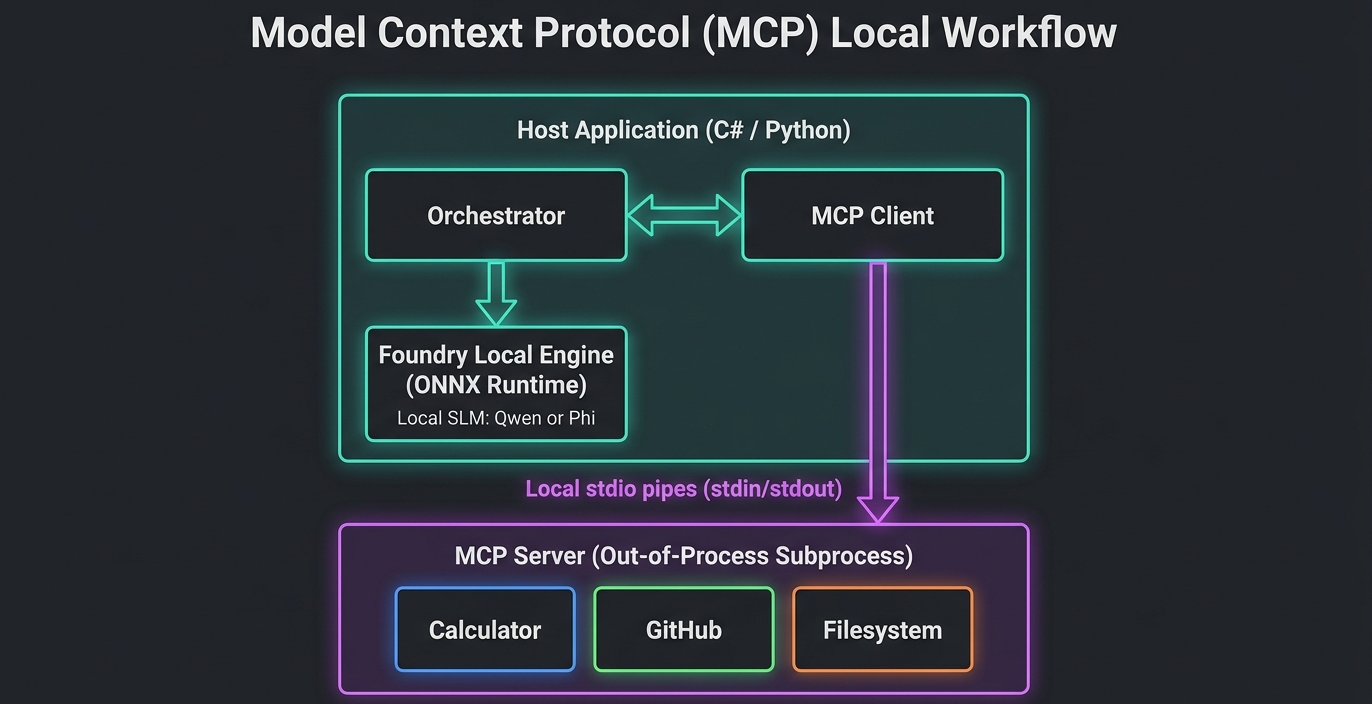
Rather than burying the logic in high-level agent classes, we spin up standard out-of-process subprocesses using the standard SDKs.
Quickstart Execution Guide
To run the quickstart turn in Python and explore how stdio tool-discovery executes on-device, clone the repository and run:
cd part02-mcp-orchestration/python
python3.11 -m venv .venv
source .venv/bin/activate
python -m pip install -r requirements.txt

# Run the quickstart client (spawns mcp_server.py via stdio)
python mcp_client.py
To run the automated schema evaluation and generate your own live schema-hardening.png chart, execute:
# Run evaluation on the local Qwen model
python schema_hardening_eval.py

# Run comparison against Azure OpenAI (requires environment variables)
python schema_hardening_eval.py --compare-cloud
Verifying the Study: The Local Tool-Execution Trace
When executing schema_hardening_eval.py, your terminal outputs the full reasoning, tool-dispatching and schema-validation loop in real time.
Below is an authentic execution trace showing the exact stdio subprocess interaction:
[System] Initializing in-process Foundry Local runtime...
info: [FoundryLocal] Core API native library loaded successfully.
[Model] Loading local 'qwen2.5-0.5b' into memory...
info: [ModelLoader] VRAM resources allocated (1.1 GB).

[Evaluation] Spawning stand-alone MCP server over stdio...
info: [StdioTransport] Subprocess booted successfully (PID: 48921).
info: [McpClient] Discovered 4 tools. Building schema validation rules.

--- Running loose schema evaluation ---
[Scenario 1] Prompt: "Book a low-key 45-minute sync with Alex (alex@example.com)"
[McpClient] Tool call parsed: book_appointment_loose
[McpClient] Arguments: {"attendee_name": "Alex", "attendee_email": "alex@example.com", "topics": "sync", "priority": "low-key", "duration": "45-minute"}
[Evaluation] Classified as: WRONG_PRIORITY (Value "low-key" is not a valid enum member)

--- Running strict schema evaluation ---
[Scenario 1] Prompt: "Book a low-key 45-minute sync with Alex (alex@example.com)"
[McpClient] Tool call parsed: book_appointment_strict
[McpClient] Arguments: {"attendee": {"name": "Alex", "email": "alex@example.com"}, "topics": ["sync"], "priority": "low", "duration": 45}
[Evaluation] Classified as: OK (Perfect schema alignment)

[System] Unloading model...
info: [StdioTransport] Subprocess PID 48921 terminated gracefully.
[System] Evaluation pipeline completed successfully.
Next Steps: Transitioning to the Managed Cloud
With our local stdio loop fully validated, we have proven that strict schema design makes on-device SLMs incredibly robust. We can run tool execution entirely offline, maintaining complete sovereignty over our data and avoiding per-token cloud costs.
But managing stdio subprocesses across microservices in a distributed architecture is operational suicide. In enterprise cloud deployments, we need central governance, secure token management and sandboxed cloud environments.
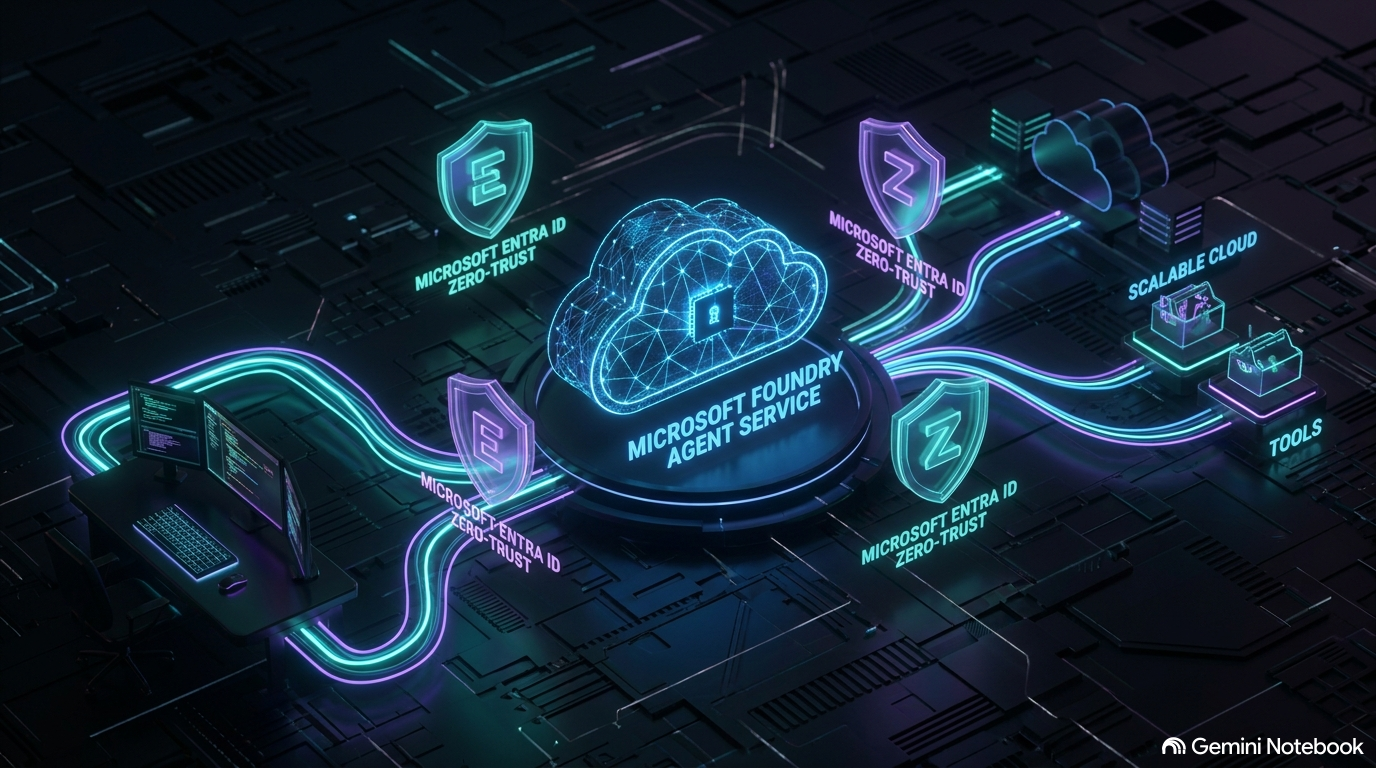
In Part 3 of our series, “Cloud Migration and Enterprise Identity”, we will migrate our on-device agent workflows into the Azure AI Foundry Agent Service. We will explore how to transition our local stdio MCP servers into cloud-managed Foundry Toolboxes, secure connections using Microsoft Entra ID and implement a Zero-Trust identity model that keeps secret credentials completely out of our codebase.
Stay tuned and happy offline coding!

Great Read!
Thank you very much!
[…] From Edge to Enterprise-Cloud: Part 1: Building a Cost-Free Local Loop with Foundry Local and From Edge to Enterprise Cloud: Part 2: Tool Orchestration with the Model Context Protocol, we established an offline, hardware-accelerated local loop and evaluated tool-calling reliability […]