
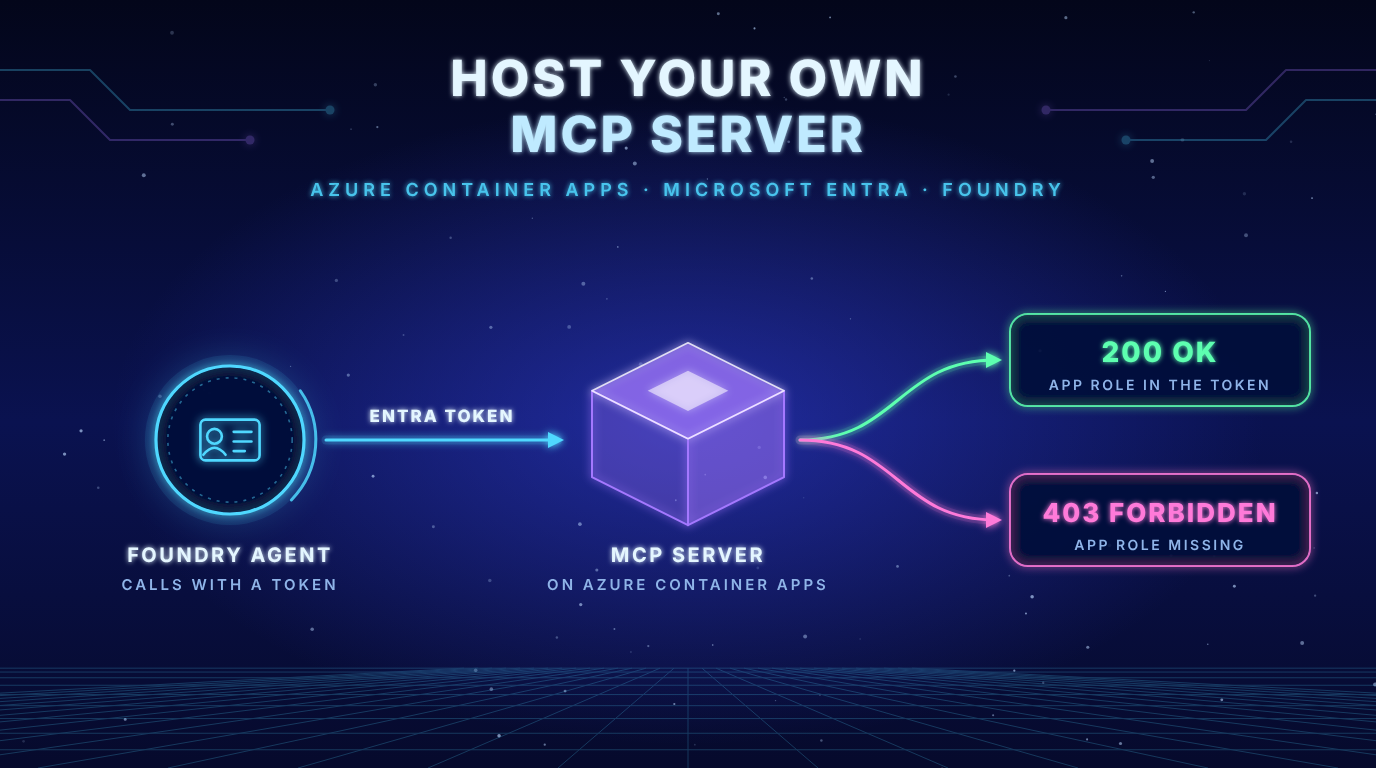
Hosting Your Own MCP Server for Microsoft Foundry on Azure Container Apps
From a local whoami demo to a real remote MCP tool that Foundry calls with a Microsoft Entra token
Last verified against Microsoft Learn on 25 October 2026. Foundry changes quickly, so check the linked docs before you rely on a detail.
- Foundry only calls remote MCP servers: A server on your laptop is invisible to Agent Service. Azure Container Apps is one of two documented hosts. The other is Azure Functions.
- A valid token is not enough: With my own app registration Foundry got a valid token even though nobody had assigned an app role. Only a role check on the server closes that gap.
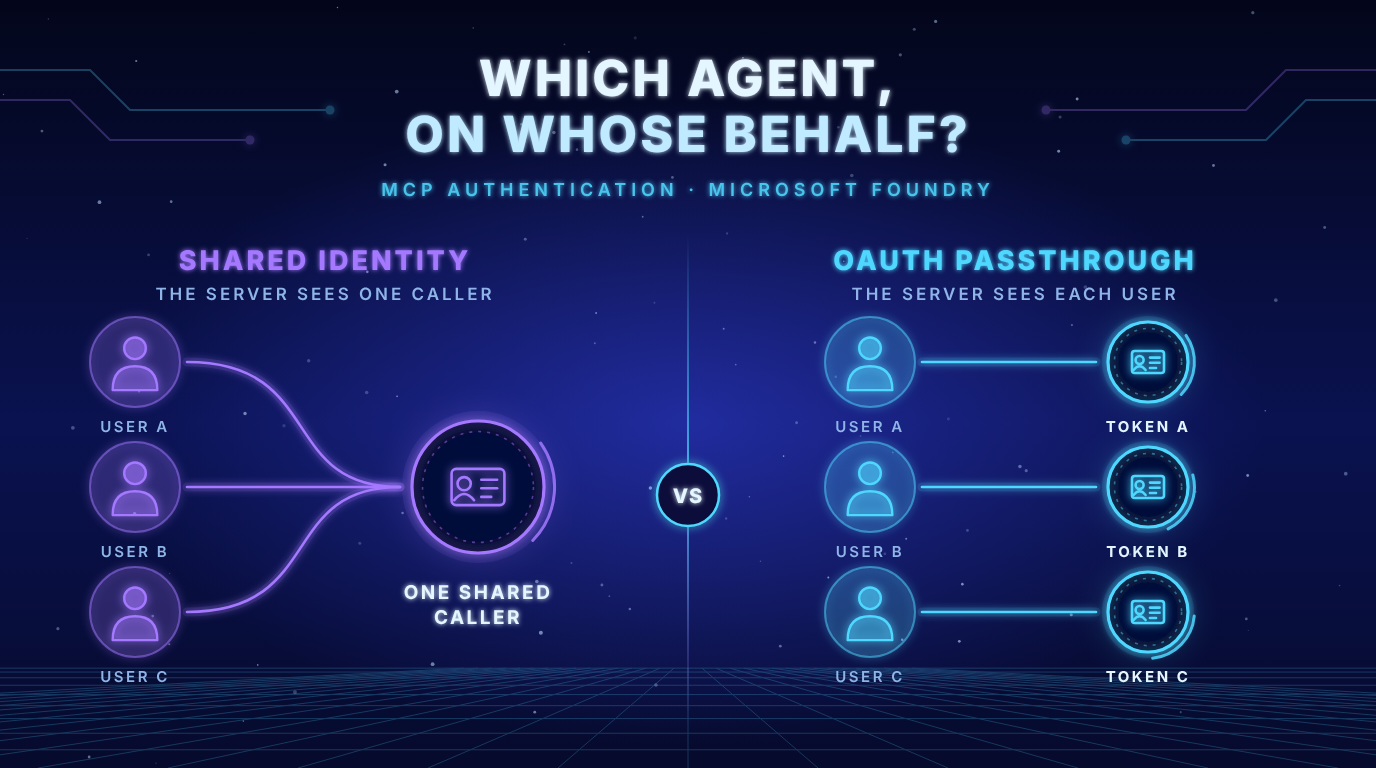
- Entra authentication shows a workload and no person: The
whoamianswer proves it for the project managed identity and for the agent identity. If the tool must know the user you need OAuth identity passthrough.
The problem in plain language
In my last post I built a small MCP server called whoami. It validates a real Microsoft Entra token and tells you who is calling. It ran on my laptop. That is fine for a test but useless for Foundry. The docs are clear: “The Agent Service runtime only accepts a remote MCP server endpoint.”
So this post closes the gap. We put the same server on the internet, protect it with our own Entra app registration and let a Foundry agent call it. Then we read the whoami answer and see what the server really gets. On the way a few things went differently than the docs suggest. I wrote them down as they happened.
Where can the server live?
The docs name two hosts for a remote MCP server (Connect to MCP servers).
| Consideration | Azure Container Apps | Azure Functions |
|---|---|---|
| Transport | HTTP POST and GET endpoints required | HTTP streamable required |
| Authentication | Custom implementation required | Built in authentication or custom code. A key is required by default |
| Language | Any language in Linux containers | Python, Node.js, TypeScript, Java and .NET |
| Container | Linux amd64 only. No privileged containers | Containers not supported |
| State | Stateless only | Stateless only |
I use Container Apps for two reasons. My demo is a Python container already. And the server validates the token itself, which is exactly the part I want to show.
Key insight: Both hosts are stateless only. That matches the demo, which starts with
stateless_http=Trueandjson_response=True. In the logs you can see it: every call is an independentPOST /mcp. Do not keep session data in memory.
Step 1: Create the app registration for your API
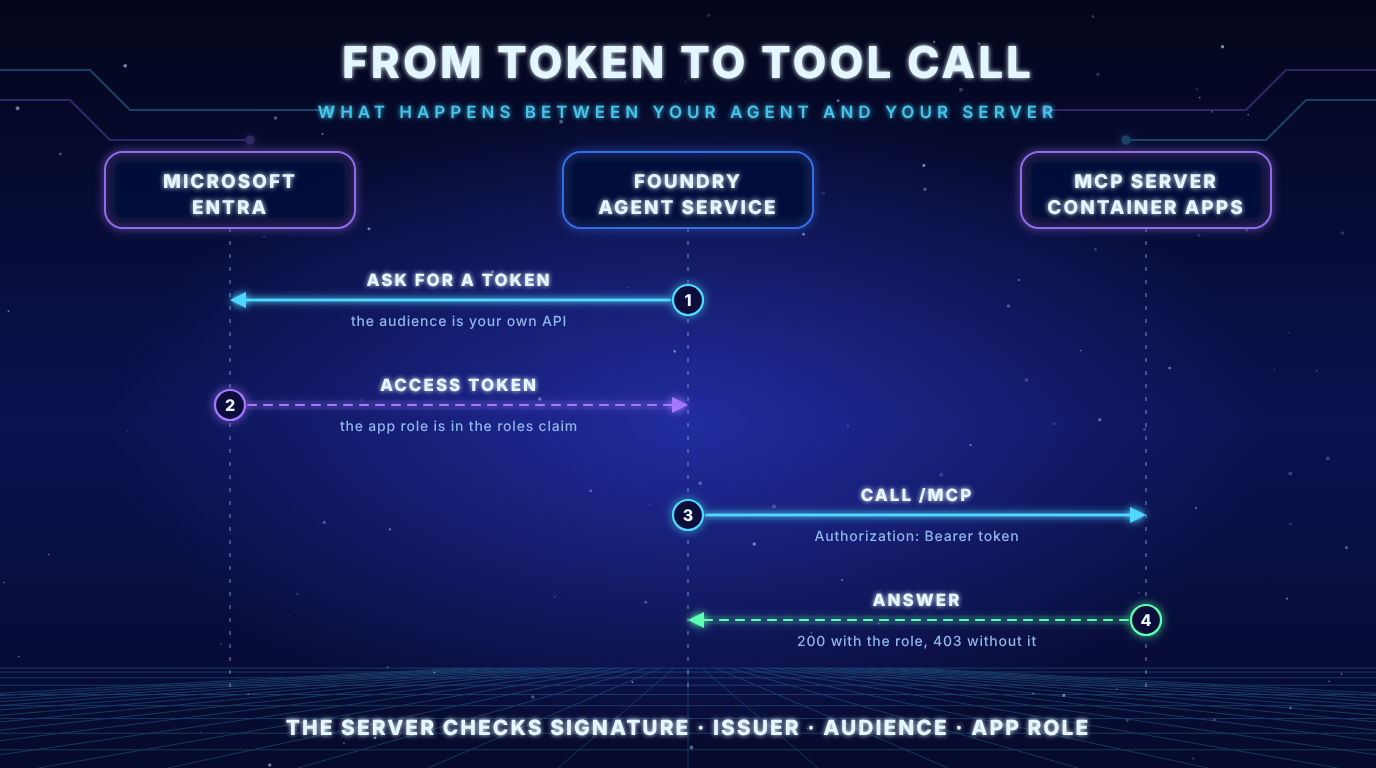
Agent Service blocks tokens for Microsoft audiences from going to custom MCP servers. The error reads Cannot pass Microsoft token to untrusted MCP endpoint. The docs say your server “must be registered with an audience that you control”. So we create our own API with an app role that can be assigned to applications.
[{
  "allowedMemberTypes": ["Application"],
  "description": "Allows a workload such as a Foundry project identity to call the whoami MCP tool.",
  "displayName": "Call whoami MCP tool",
  "isEnabled": true,
  "id": "<new guid>",
  "value": "Mcp.Tools.ReadWrite.All"
}]
I saved this as app-roles.json and used it for the app registration. The role value is what later shows up in the roles claim (Add app roles).
az ad app create --display-name <api-name> --sign-in-audience AzureADMyOrg --app-roles @app-roles.json
az ad app update --id <app-id> --identifier-uris "api://<app-id>"
az ad sp create --id <app-id>
The Application ID URI api://<app-id> is the audience. I left the token version at its default (null). The tokens Foundry received were version 1 tokens: the issuer is sts.windows.net and the audience is the Application ID URI. If the connection asks for the client ID alone as audience the token carries the client ID as aud. That is why my server accepts both values in AUDIENCES.
Step 2: Deploy to Azure Container Apps
The container from the demo repo needs these environment variables.
| Variable | Value |
|---|---|
TENANT_ID | Your tenant |
AUDIENCES | api://<app-id> and the client ID |
PUBLIC_URL | The final URL of the /mcp endpoint |
ALLOWED_HOSTS | The hostname of the container app |
MASK_IDENTIFIERS | true |
REQUIRED_ROLE | The app role from step 1 (more in step 7) |
The public URL is only known after the first deployment. So you deploy once with a placeholder and then set PUBLIC_URL and ALLOWED_HOSTS with az containerapp update.
az group create --name <rg> --location westeurope
az containerapp env create --name <env> --resource-group <rg> --location westeurope

az containerapp up \
  --name <app> \
  --resource-group <rg> \
  --environment <env> \
  --source . \
  --ingress external \
  --target-port 8000 \
  --env-vars "TENANT_ID=<tenant-id>" "AUDIENCES=api://<app-id>,<app-id>" "MASK_IDENTIFIERS=true" "PUBLIC_URL=https://placeholder.invalid/mcp"
az containerapp up builds the image from the Dockerfile in Azure Container Registry. That means the image is built for linux/amd64 even on an Apple Silicon Mac. It also creates the registry if you do not name one (az containerapp up).
My first build failed. The Dockerfile used COPY --chmod=0644 server.py ./ and the build log said the --chmod option requires BuildKit. The build in the registry uses the classic builder. I replaced the line with COPY server.py ./ and RUN chmod 0644 server.py. Then it worked.
Now set the real values and keep one replica running.
az containerapp update \
  --name <app> \
  --resource-group <rg> \
  --min-replicas 1 \
  --set-env-vars "PUBLIC_URL=https://<your-app>/mcp" "ALLOWED_HOSTS=<your-app>"
Scale to zero: By default Container Apps scales to zero and you pay nothing while idle. The first call after a pause has to wake the app up. For a demo I set the minimum to one replica so the first tool call does not time out.
A request to /healthz returned 200. The new revision showed Running and Healthy.
Step 3: Check the server without Foundry
Before Foundry enters the picture I called the server myself. That separates server problems from Foundry problems.
| Call | Result |
|---|---|
| No token | 401 |
| Azure CLI token for the Azure Resource Manager audience | 401 with invalid_token |
Wrong Host header | 404 |
The second row is the audience check. A perfectly valid Microsoft token for another audience does not get in. The third row is not my server at all: the ingress of Container Apps routes by host name and rejects unknown hosts itself. The request never reaches the app.
Step 4: Create the connection and the agent
For the connection I used the Foundry portal, the way the docs describe it: Build, Tools, Connect a tool, Custom, Model Context Protocol. The fields:
| Field | Value |
|---|---|
| Name | whoami-mcp |
| Remote MCP Server endpoint | https://<your-app>/mcp |
| Authentication | Microsoft Entra |
| Type | Project Managed Identity |
| Audience | api://<app-id> |
Then I created an agent with a model deployment, added the tool and asked: “Call the whoami tool and show me the full result.”
Two defaults to know. require_approval is always, so Foundry shows an approval before every call. And allowed_tools limits the agent to the tools you name. The docs show the same thing in code. I did not run this snippet because I used the portal.
from azure.identity import DefaultAzureCredential
from azure.ai.projects import AIProjectClient
from azure.ai.projects.models import PromptAgentDefinition, MCPTool

with AIProjectClient(endpoint=PROJECT_ENDPOINT, credential=DefaultAzureCredential()) as project:
    tool = MCPTool(
        server_label="whoami",
        server_url="https://<your-app>/mcp",
        require_approval="always",
        allowed_tools=["whoami"],
        project_connection_id="whoami-mcp",
    )
    agent = project.agents.create_version(
        agent_name="WhoAmIAgent",
        definition=PromptAgentDefinition(
            model="<your-model-deployment>",
            instructions="Call the whoami tool when asked who is calling.",
            tools=[tool],
        ),
    )
The docs say project_connection_id is the ID of the connection but their samples pass the name. The snippet above uses the name whoami-mcp. I created the connection in the portal and did not run this code, so check which of the two your SDK version expects.
After the tool was created the portal showed a note that the AI gateway is not enabled. That is an optional governance layer based on Azure API Management. It sits between Foundry and your MCP server and can apply rate limits and IP filters (Governance for MCP tools). The docs describe it as a preview and it is not required. I left it off.
Step 5: Call it without a role
I had not assigned any role yet. This is what the server answered.
{
  "callerType": "application",
  "objectId": "cc45e31e...",
  "tenantId": "e44d86aa...",
  "clientApp": "569b32f3...",
  "audience": "api://1187b5ac...",
  "issuer": "https://sts.windows.net/e44d86aa.../",
  "expiresAt": "2026-10-26T16:25:52+00:00"
}
The call worked. There is no appRoles field in the answer. Entra issued a token for my API to the Foundry identity although no role was assigned. My server accepted it because it had checked signature, issuer, audience and expiry. All four were fine.
Key insight: Authentication tells you who is calling. The app role is what you authorize. Without a role check on the server any workload in your tenant that can get a token for your audience can call the tool.
Step 6: Give the Foundry identity the app role
Which identity calls your server? It depends on the connection type. With the project managed identity it is one identity for all agents of the project. The Microsoft sample template assigns the app role to the managed identity of the Foundry project (Deploy a remote MCP server). The assignment is one call to Microsoft Graph. The Graph docs recommend the appRoleAssignedTo endpoint of the API (appRoleAssignedTo).
az rest --method POST \
  --uri "https://graph.microsoft.com/v1.0/servicePrincipals/<api-service-principal-id>/appRoleAssignedTo" \
  --headers "Content-Type=application/json" \
  --body '{"principalId":"<project-managed-identity-id>","resourceId":"<api-service-principal-id>","appRoleId":"<app-role-id>"}'
The call needs the Graph permission AppRoleAssignment.ReadWrite.All or an Entra role that includes it. I found the ID of the project managed identity with az cognitiveservices account project show and the query identity.principalId.
Then I called the agent again. The answer still had no role. The value of expiresAt was exactly the same as before. The old token was still in use. I do not know whether a cache or a propagation delay caused it. What worked was a second connection with the client ID alone as audience. For Entra that is a different resource string and it produced a fresh token.
{
  "callerType": "application",
  "objectId": "cc45e31e...",
  "tenantId": "e44d86aa...",
  "clientApp": "569b32f3...",
  "appRoles": ["Mcp.Tools.ReadWrite.All"],
  "audience": "1187b5ac...",
  "issuer": "https://sts.windows.net/e44d86aa.../",
  "expiresAt": "2026-10-26T16:36:51+00:00"
}
Key insight: Role changes do not reach a token that was issued earlier. If
appRolesis missing right after the assignment you probably look at an old token. Plan for that when you test.
Step 7: Let the server enforce the role
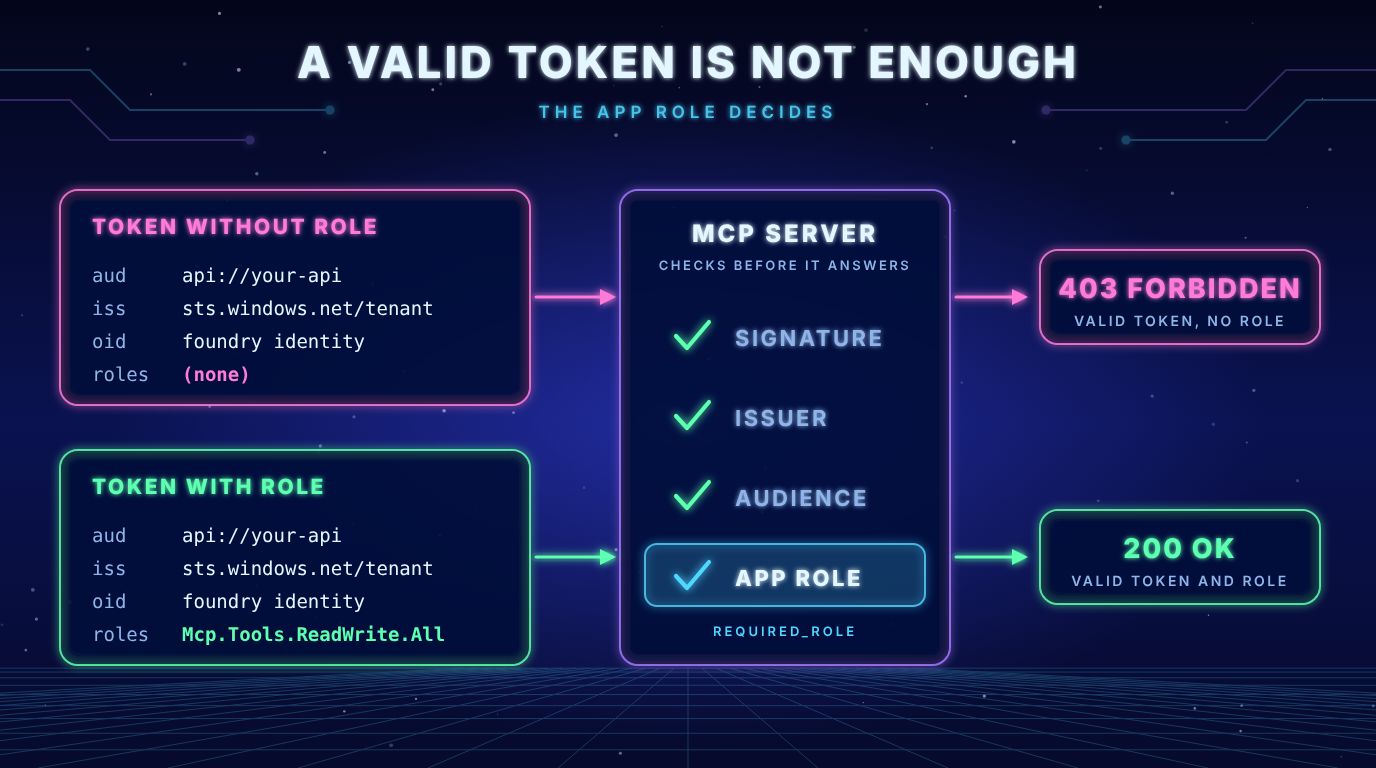
My demo server now has an optional setting REQUIRED_ROLE. If it is set a valid token must also carry this role. Otherwise the server answers 403. It is a small change because the MCP SDK already supports required scopes and my verifier writes the app roles into the scopes.
auth=AuthSettings(
    ...,
    required_scopes=[settings.required_role] if settings.required_role else None,
)
With the setting on I called two agents. The first still held the old token without a role. The second held the fresh token with the role.
| Agent | Token | Result |
|---|---|---|
| First agent | Old token without role | 403 |
| Second agent | Fresh token with role | 200 |
In the server log the same two calls look like this:
"POST /mcp HTTP/1.1" 403 Forbidden
"GET /mcp HTTP/1.1" 403 Forbidden
"POST /mcp HTTP/1.1" 200 OK
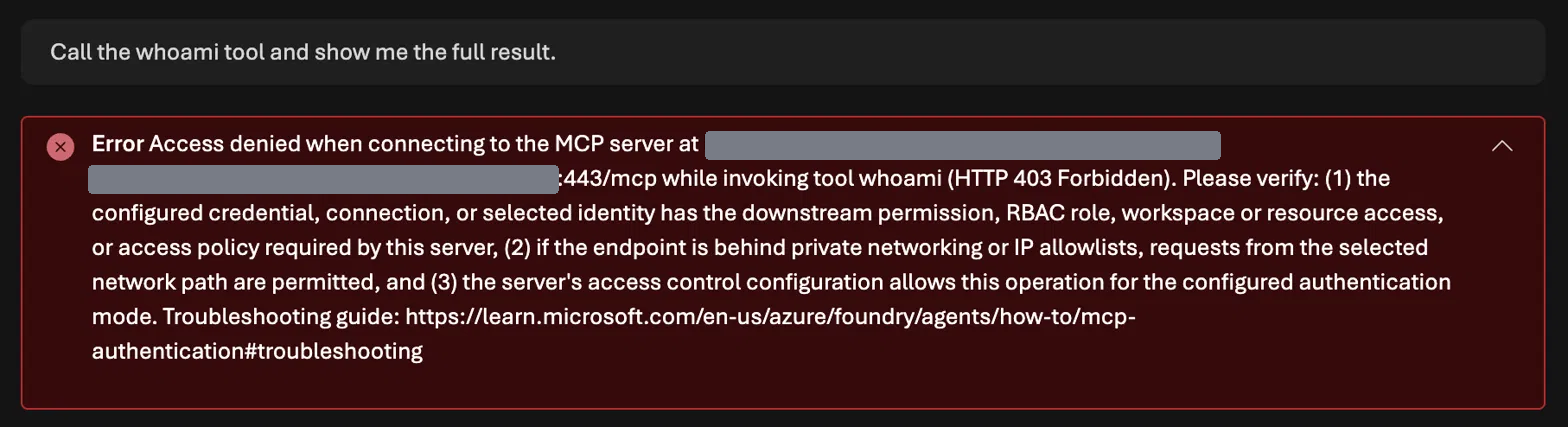
Foundry showed the same 403 in a long, general message. It lists three possible causes: missing permission, network and the access rules of the server. The real reason, a missing app role, is not in the message. The server log shows only the status code.
Key insight:
401means the token is not valid.403means the token is valid and something is missing. In this setup that was the app role. If you see the generalHTTP 403 Forbiddenmessage from Foundry, check the app role first.
Agent identity or project managed identity?
I repeated the test with the agent identity. For this I created a third connection with the type Agent Identity and attached it to a new agent. The docs explain neither how to give a custom API role to an agent identity nor what the token looks like. This is what I saw on 25 October 2026.
| Field | Azure CLI login (last post) | Project managed identity | Agent identity |
|---|---|---|---|
callerType | user | application | application |
userName | masked user name | none | none |
delegatedScopes | user_impersonation | none | none |
objectId | 421d1295... | cc45e31e... | d5e472cf... |
appRoles | none | Mcp.Tools.ReadWrite.All | Mcp.Tools.ReadWrite.All |
The agent identity has its own object ID, different from the project managed identity. The same Graph call assigned the role to it. To get its object ID I switched off the masking of the demo server for a moment and read the value in my own terminal. After the assignment a new conversation with the same agent showed appRoles in the answer.
Key insight: With the agent identity you can give two agents of one project different access to the same server. With the project managed identity all agents share one caller. For the server both look the same: a workload without a person.
Optional: add the user with OAuth passthrough
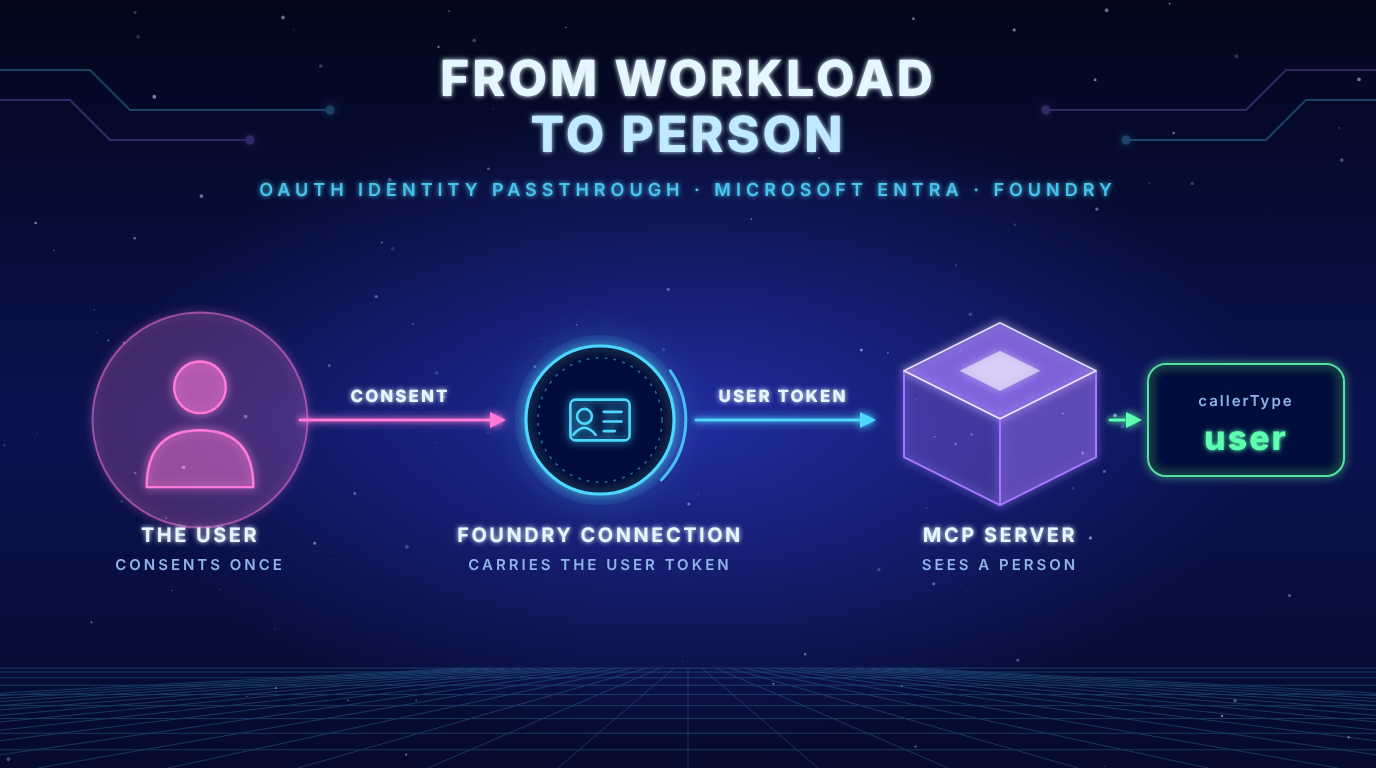
If the tool must know the user switch the connection to OAuth identity passthrough with your own app registration. The user signs in once and the consent is stored per tool name per project. The server then sees a user token. I keep this for a later post.
Common pitfalls
| Symptom | Likely cause | Fix |
|---|---|---|
Cannot pass Microsoft token to untrusted MCP endpoint. | The audience is a Microsoft one | Use the Application ID URI of your own API |
401 from the server | Wrong audience or issuer version | Decode the token and compare aud and iss with AUDIENCES |
HTTP 403 Forbidden in a long general message | The token is valid but the app role is missing | Assign the role to the identity and make sure you hold a fresh token |
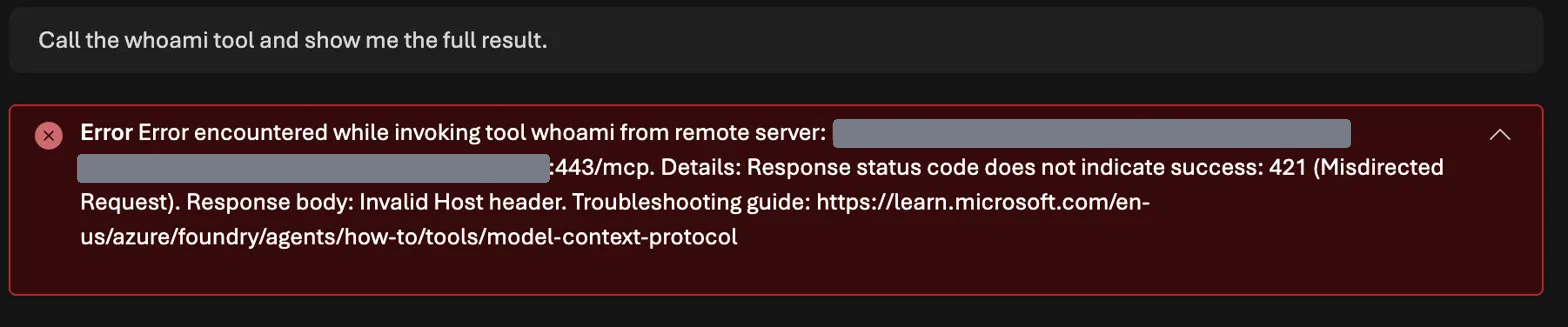
421 Misdirected Request with Invalid Host header | ALLOWED_HOSTS does not contain the public host name | Set it to the host name of the container app. The server sees it unchanged and without port |
404 for a request with a wrong Host header | The ingress routes by host name | Nothing to fix. The request never reaches your app |
appRoles is empty right after the assignment | The token was issued before the assignment | Get a fresh token. A different audience string forced one for me |
Build fails with the --chmod option requires BuildKit | The build in the registry uses the classic builder | Use COPY and RUN chmod instead of COPY --chmod |
| The first call times out | The app scaled to zero | Set the minimum replicas to one |
| The tool never runs | require_approval is always | Send the approval or change the setting |
The 421 looks different from the 403 in Foundry. This time the response body names the cause.
Clean up
The demo is public while it runs. Delete everything when you are done. In my setup the Foundry resource and the project lived in the same resource group, so one command removes all of it.
az group delete --name <rg> --yes --no-wait
az ad app delete --id <app-id>
Azure keeps a deleted Foundry resource for a while (soft delete). If you want to reuse the name right away purge it with az cognitiveservices account purge.
az cognitiveservices account purge --name <foundry-resource> --resource-group <rg> --location <location>The whole cleanup took about 29 minutes in my case. Most of that was waiting for the Foundry resource. Afterwards the resource group was gone and no soft deleted resource or app registration was left.
Practical checklist
- Create your own API: Application ID URI, service principal and an app role for applications.
- Deploy the container: External ingress, correct environment variables and at least one replica.
- Check the server without Foundry:
/healthz, a call without token and a call with a token for another audience. - Assign the app role: Give it to the identity that Foundry uses and plan for a fresh token.
- Create the connection: Use the right authentication type and your audience.
- Limit the tool: Use
allowed_toolsand keep the approval on while you test. - Enforce the role on the server: Do not rely on the audience alone.
- Read the
whoamianswer: Confirm a workload and the role. - Delete the resources: Do this after the test.
Key takeaways
- Foundry only calls remote MCP servers. Container Apps and Functions are the documented hosts.
- Both hosts are stateless only.
- Bring your own app registration. A Microsoft audience is blocked for custom servers.
- A valid token is not authorization. Check the app role on the server.
- Role changes need a fresh token.
- The agent identity has its own object ID and can hold its own role.
- Entra authentication gives the server a workload and no person.
- Set
ALLOWED_HOSTSto the host name of the app and delete the resources afterwards.
whoami now shows a workload and no person. In a later post I want to add the user with OAuth identity passthrough and my own OAuth client, and see what the server gets then.
Sources
- Set up authentication for Model Context Protocol (MCP) tools (Microsoft Learn)
- Connect to Model Context Protocol servers (Microsoft Learn)
- Deploy a remote MCP server to Azure Container Apps for Microsoft Foundry (Microsoft Learn)
- Agent identity concepts in Microsoft Foundry (Microsoft Learn)
- Governance for MCP tools with an AI gateway (Microsoft Learn)
- Add app roles to your application (Microsoft Learn)
- Assign an app role: servicePrincipal appRoleAssignedTo (Microsoft Learn)
- Ingress in Azure Container Apps (Microsoft Learn)
- Set scaling rules in Azure Container Apps (Microsoft Learn)
- az containerapp up (Microsoft Learn)
- Which Agent, on Whose Behalf? Authenticating MCP Tools in Microsoft Foundry (frezz-tech.de)
- foundry-mcp-auth-whoami-demo (GitHub)

[…] my last post the whoami server ran on Azure Container Apps and a Foundry agent called it with a Microsoft Entra […]