Behind the Gateway: What Your MCP Server Still Knows About the Caller in Microsoft Foundry
The whoami server with OAuth identity passthrough, now routed through the Foundry AI gateway
Last verified against Microsoft Learn on 9 November 2026. The AI gateway for MCP tools is in preview, so check the linked docs before you rely on a detail.
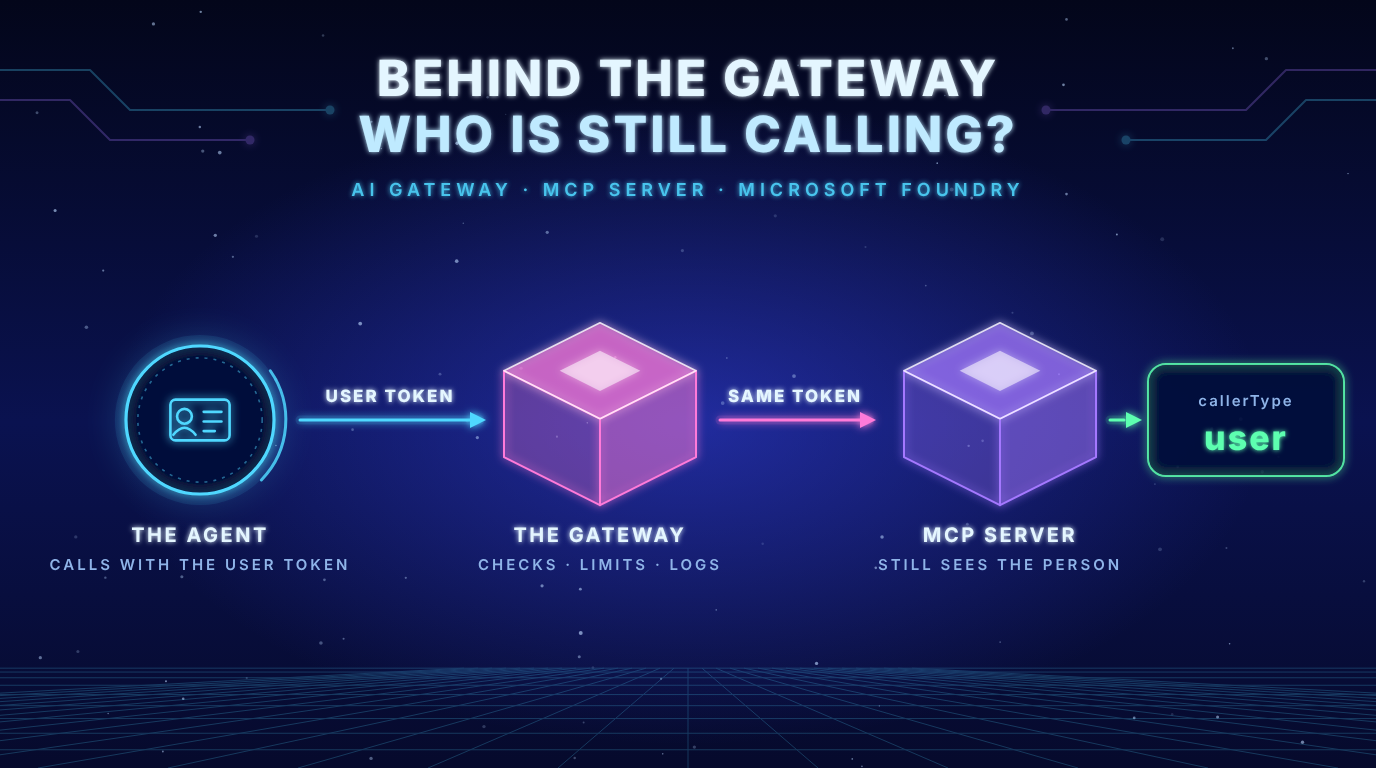
- The token arrives unchanged: Behind the gateway the
whoamianswer is the same as before.callerType: user, a delegated scope and no app role. The gateway does not touch the user token. - The agent is visible, but only in a header: Foundry sends the agent name, the agent version and an agent identity ID in the header
x-ms-foundry-baggage. The token is the same for two agents. The header is not signed, so it is a hint and not proof. - The gateway enforces rules and owns no authority: It rejected a call without a token with 401 and it limited calls per agent with 429. The server never saw those requests. The gateway log does not name an agent or a user.
The problem in plain language
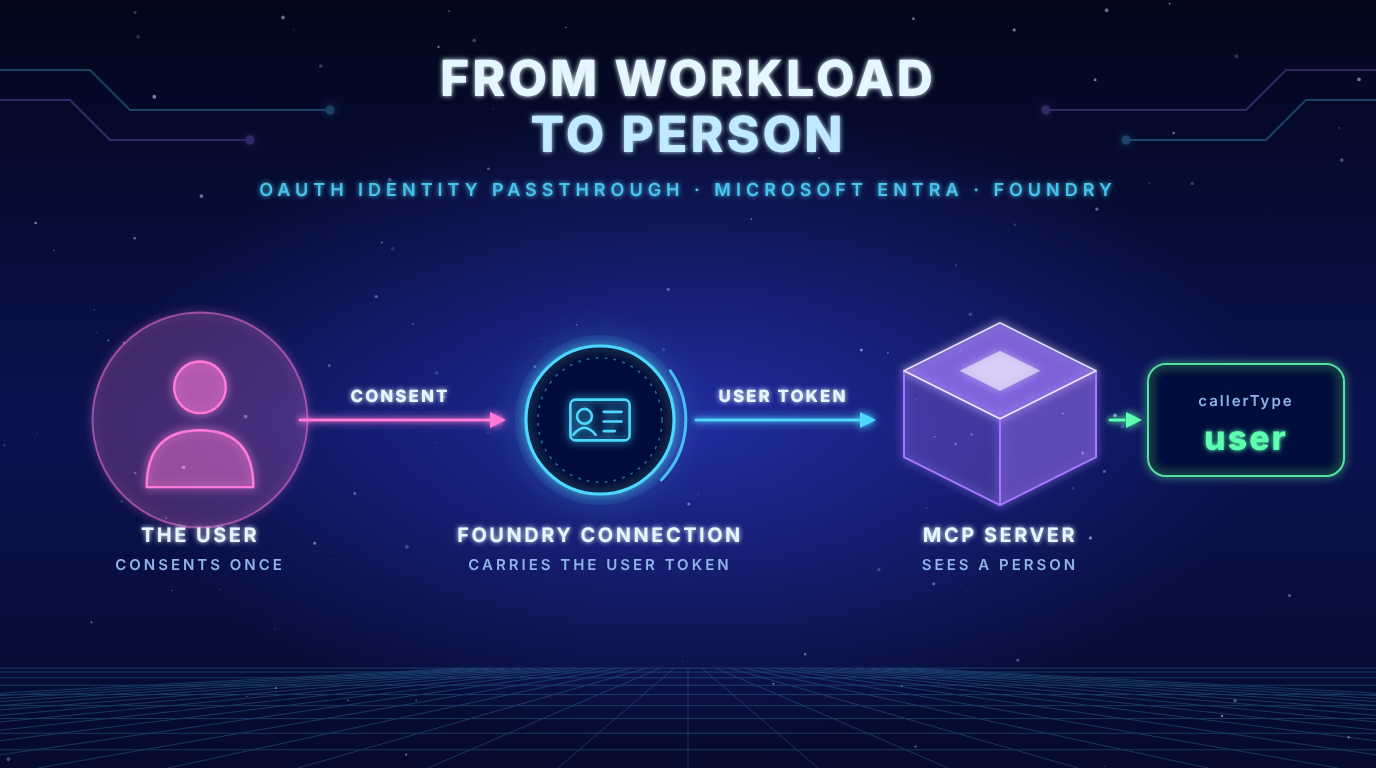
In my last post a Foundry agent called my own MCP server with the token of the signed in user. The server saw a person. Readers pointed out something I had only touched on: A signed in user is not the same as an agent identity and both are not the same as a mandate. The user may be allowed to do a task. That does not mean that this agent may do it for this user right now.
Foundry has a place where organizations want to answer such questions: the AI gateway. It puts Azure API Management in front of your MCP tools and applies policies. So this post asks what a gateway in front of the server changes. Three questions:
- Does the user token still arrive unchanged?
- Can I limit calls per user and not only per IP address like in the docs example?
- Can the gateway or the server tell two agents apart when they use the same connection?
What the docs say
The docs describe the AI gateway for MCP tools in Govern MCP tools by using an AI gateway and the setup in Enable AI Gateway in the Foundry portal. These points matter for what follows:
| Statement in the docs | What I found |
|---|---|
| Only new MCP tools without managed OAuth are routed through the gateway | Custom OAuth identity passthrough is on the supported list. I created the tool after enabling the gateway |
| Existing projects must be enabled manually | My project showed Disabled until I selected Add project to gateway |
| Policies can only be applied in the Azure portal | True, the Foundry portal has no policy editor |
| The rate limit example keys the counter on the IP address | I used the user and then the agent as the key |
| AI gateways do not log tool traces | I did not check this |
| Deleting the gateway in Foundry is not enough, delete the APIM instance | Same for me, see the cleanup at the end |
Step 1: Enable the gateway
In the Foundry portal go to Manage, AI Gateway, Add AI Gateway. Select the Foundry resource, choose Create new and give the gateway a name. Create new provisions a Basic v2 instance of API Management. The docs say that typically takes 5 to 10 minutes. For me the instance was ready after a few minutes.
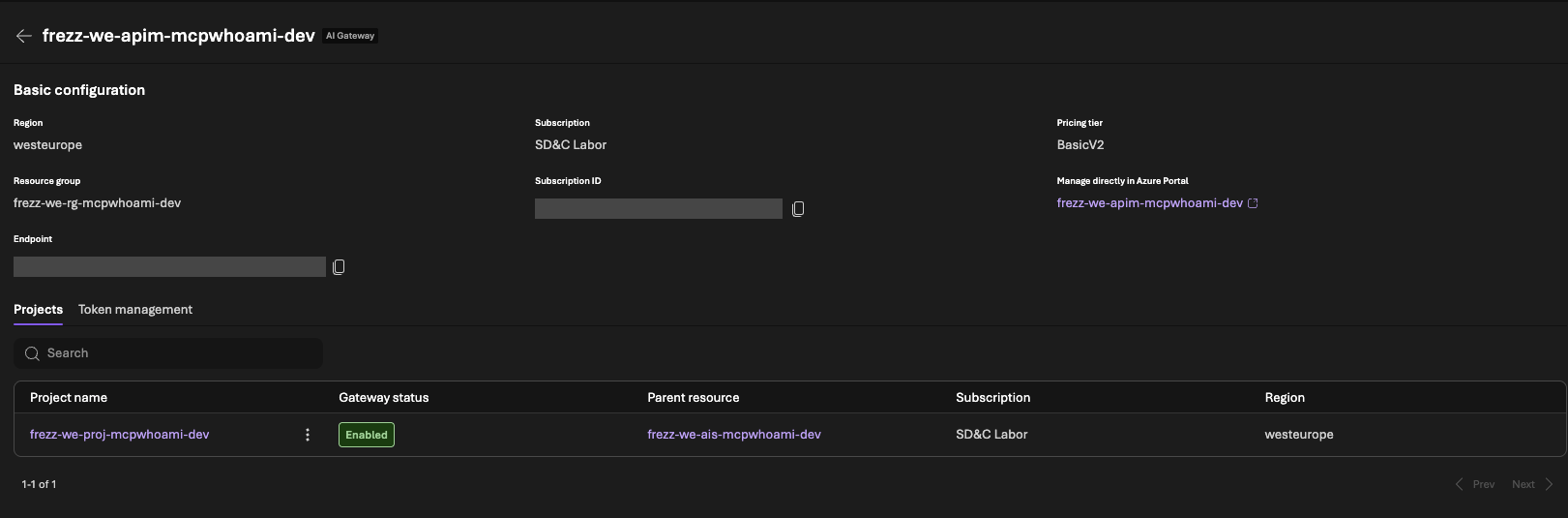
Key insight: The instance can be ready and the project still shows Disabled. The docs mention it in the last step of the setup: New projects are enabled by default and existing projects must be enabled manually. I selected Add project to gateway and the status changed to Enabled. If you skip this, you create your tool and it silently goes past the gateway.
Step 2: Create the tool after the gateway
Create the MCP tool the same way as in the last post: Build, Tools, Connect a tool, Custom, Model Context Protocol, OAuth Identity Passthrough. The form is the same. You still enter the address of your own server. After saving, the details page shows a banner “AI Gateway enabled” and the endpoint is the address of the gateway.
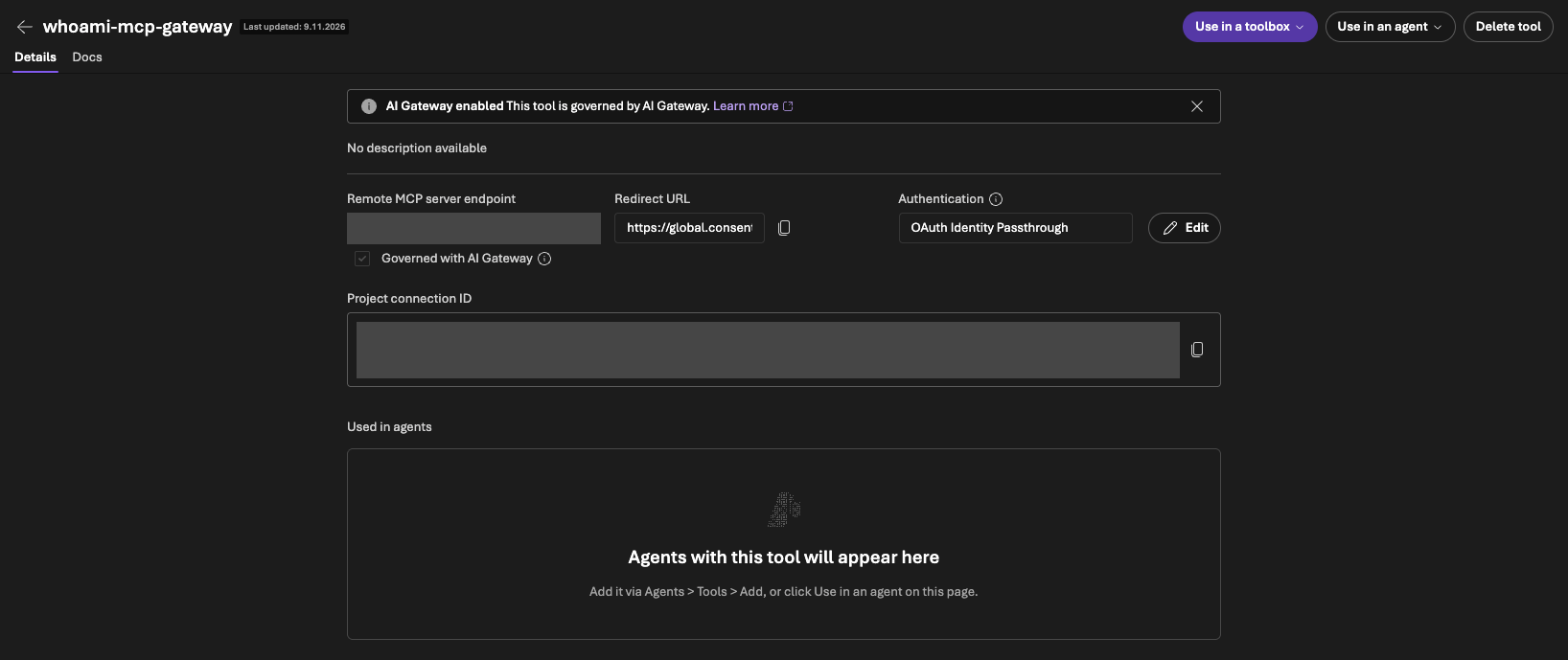
Two small differences to the docs: They show an endpoint like https://<apim>.azure-api.net/mcp/.... Mine looked like https://<apim>.azure-api.net/tool-<project>-<app>-<suffix>. And the redirect URL started with global.consent... just like in the last post.
In API Management Foundry created an MCP server for the tool. It shows up in the list under MCP Servers and not as a new API. That is where the policies of the tool live.
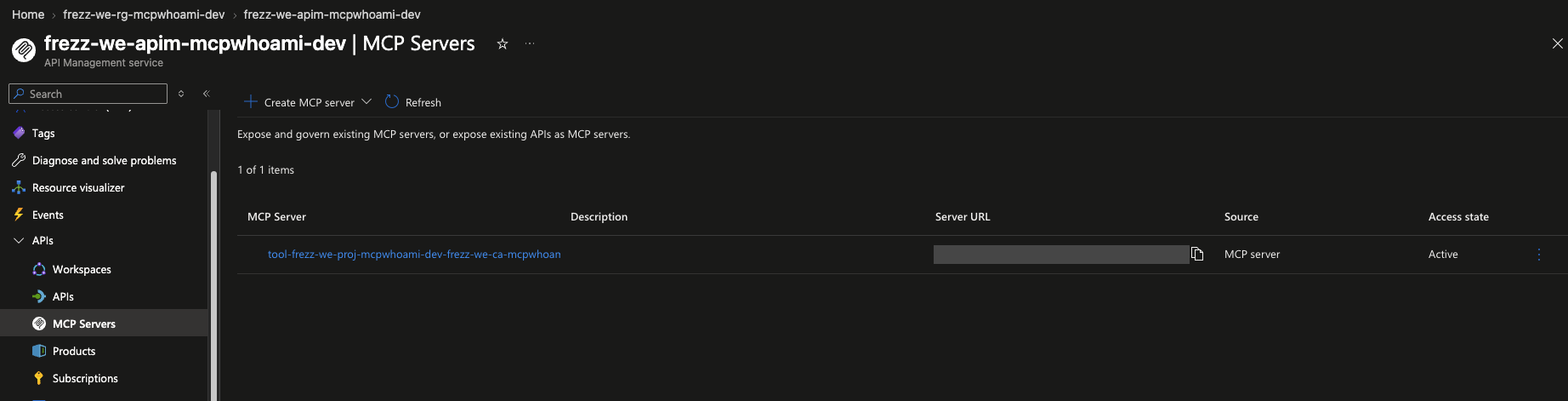
The consent flow was the same as before: two Entra dialogs and the Foundry confirmation page, then the tool approval.
Question 1: What arrives at the server
The answer of whoami through the gateway:
{
  "callerType": "user",
  "objectId": "56d16eb0...",
  "clientApp": "382dfc6a...",
  "delegatedScopes": ["Mcp.Tools.Access"],
  "audience": "api://8530123d...",
  "expiresAt": "2026-11-09T21:42:03+00:00"
}
Nothing changed. The server validates signature, issuer, audience and expiry like before and sees the same user.
For this post I extended the audit line of the demo server. It now also lists the names of all request headers. Values stay out, because a header can carry anything.
whoami called callerType=user objectId=56d16eb0... clientApp=382dfc6a... scopes=Mcp.Tools.Access roles=-
headers=accept,authorization,baggage,client-ip,client-request-id,content-type,disguised-host,host,
max-forwards,mcp-method,mcp-name,mcp-protocol-version,traceparent,user-agent,x-envoy-expected-rq-timeout-ms,
x-forwarded-for,x-k8se-app-name,x-ms-containerapp-name,x-ms-foundry-baggage,x-ms-useragent,x-original-url,
x-request-id,... correlationId=-
(shortened, the full list has 38 names)
Sorted by origin, as far as the names tell me:
- Looks like an App Service style front end:
client-ip,client-request-id,disguised-host,max-forwards,was-default-hostname,x-appservice-proto,x-arr-log-id,x-arr-ssl,x-azure-ja4-fingerprint,x-site-deployment-id,x-waws-unencoded-url. My guess is that these come from the API Management gateway. - Container Apps:
x-envoy-*,x-k8se-*,x-ms-containerapp-*,x-forwarded-*,x-request-id,x-original-url - Foundry and MCP:
x-ms-foundry-baggage,x-ms-useragent,baggage,traceparent,mcp-method,mcp-name,mcp-protocol-version
Key insight: I cannot say which of these headers the gateway adds. The checkbox Governed with AI Gateway cannot be cleared, so I had no run without the gateway to compare against. The names show what arrives. They do not show who put it there.
Question 3 first: Who is calling
I created a second agent that uses the same connection. Both agents called whoami several times. The token is identical for both: same user, same client app, same scope. But one header differs:
x-ms-foundry-baggage:
foundry.project.id=<account>%40<project>%40AML,
foundry.account.id=<guid>,
foundry.caller.identity_type=agent,
foundry.caller.agentic_identity.id=<guid>,
foundry.caller.agent.name=whoami-mcp-gateway-agent,
foundry.caller.agent.version=2| Agent 1 | Agent 2 | |
|---|---|---|
foundry.caller.agent.name | whoami-mcp-gateway-agent | whoami-mcp-gateway-agent2 |
foundry.caller.agentic_identity.id | 293f39ef... | 9e2a6028... |
foundry.caller.agent.version | 2 | 8 |
| Token: user, client app, scope | identical | identical |
So the server can tell the agents apart, but not through the token. Foundry sends the information in a header together with x-ms-useragent: AzureAIFoundryAgentRuntime/.... That points to the Foundry agent runtime as the source and not to the gateway. I did not verify it.
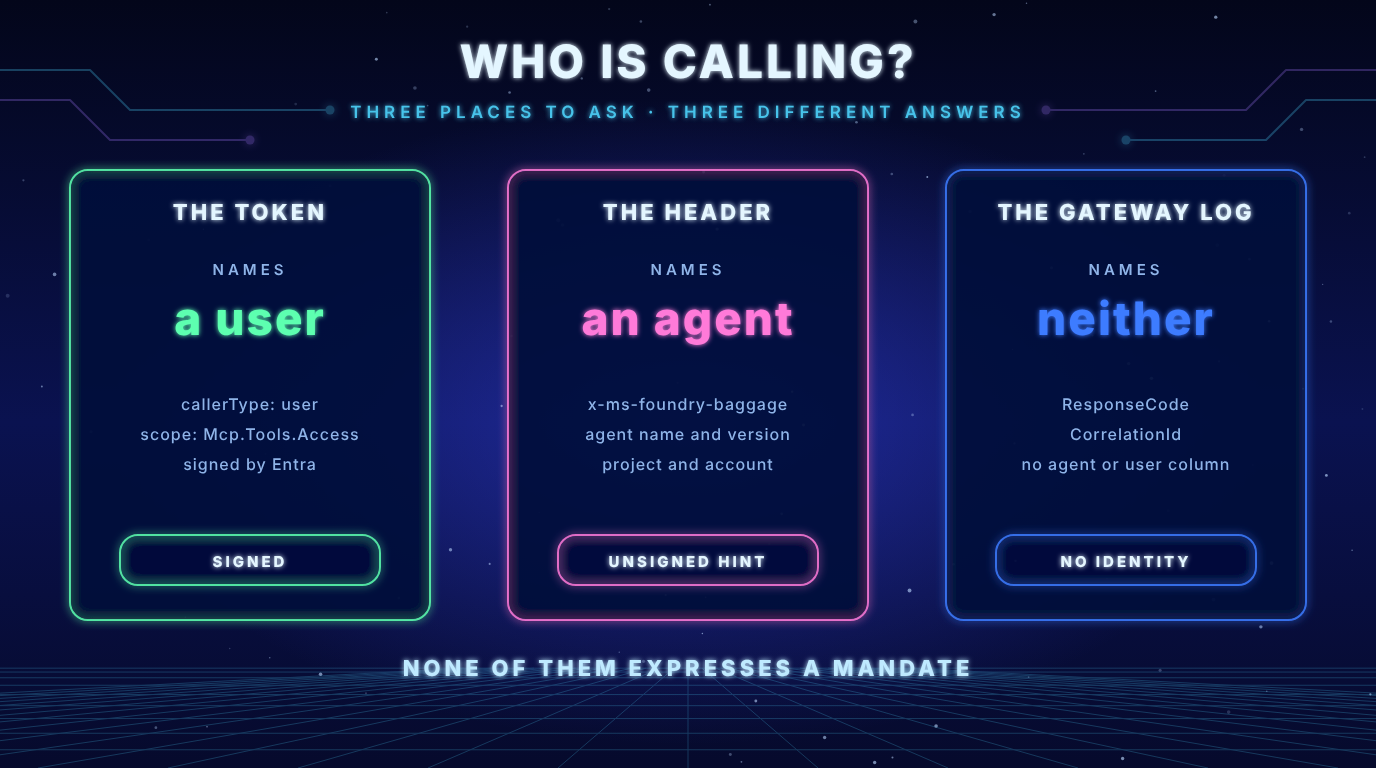
Key insight: The header is not signed and it is not bound to the token. Whoever holds the token can send any value. My server can use it to log and to attribute calls. It must not use it to grant access. For cost control or fairness a hint is enough. For authority it is not.
To read these values I added a setting to the demo server: AUDIT_HEADER_VALUES takes a list of header names whose values appear in the audit line. It is off by default. Credentials like Authorization are never logged even if you list them. I keep it off because the baggage contains the project and in my case a foundry.account.id that was identical to my subscription ID.
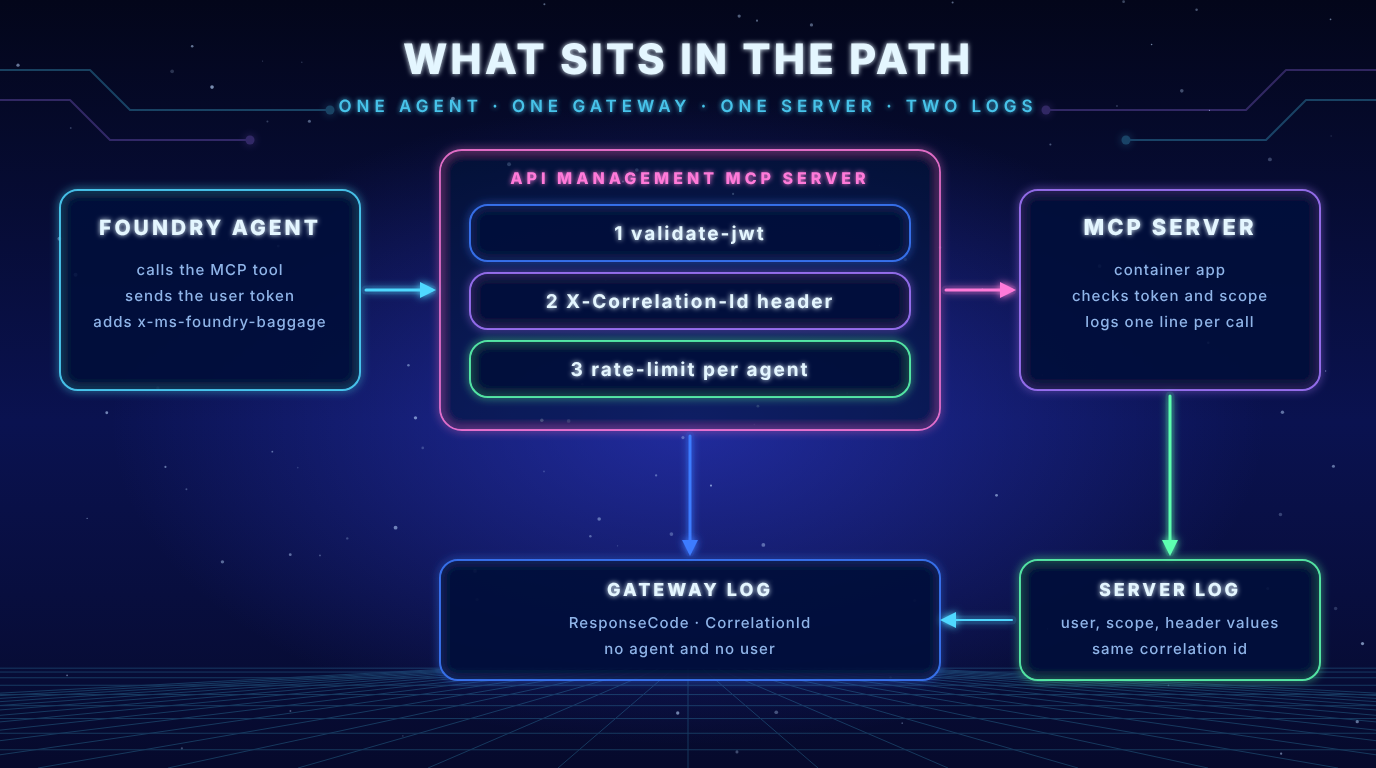
The gateway log does not help here. API Management writes a row per request to Log Analytics when you enable the diagnostic setting (category ApiManagementGatewayLogs, with the destination table set to resource specific). The columns are CorrelationId, ResponseCode, CallerIpAddress, BackendUrl, LastErrorSource and about 50 more. UserId and ApimSubscriptionId were empty. CallerIpAddress is a changing address of the Foundry runtime. RequestHeaders is empty unless you configure header logging. Nothing in the log names the agent or the user.
Connecting the two logs
The docs show a policy that sets a correlation ID. I added it to the policy of the MCP server.
<set-header name="X-Correlation-Id" exists-action="override">
  <value>@(context.RequestId.ToString())</value>
</set-header>
The audit line of my server now shows correlationId=9b4e4722-362f-46ec-93f4-1171a1051ca3 and the same value is the column CorrelationId of the gateway row. The server logged the call 8 to 27 milliseconds after the gateway row in the calls I compared. With that ID you can follow one call through both logs.
It also showed a gap: One call that my server logged at 20:29:02 UTC has no row in the gateway log. I do not know why. The correlation ID makes such a gap visible. I would not rely on the gateway log alone as the complete record.
Question 2: Limit per user and per agent
The docs example keys the rate limit on context.Request.IpAddress. Behind Foundry that is an address of the runtime, so it limits everybody together. I keyed the counter first on the object ID of the user (oid) from the token. That needs validate-jwt first, because AsJwt() only parses the token and does not check the signature. Without the check a client could invent its own key.
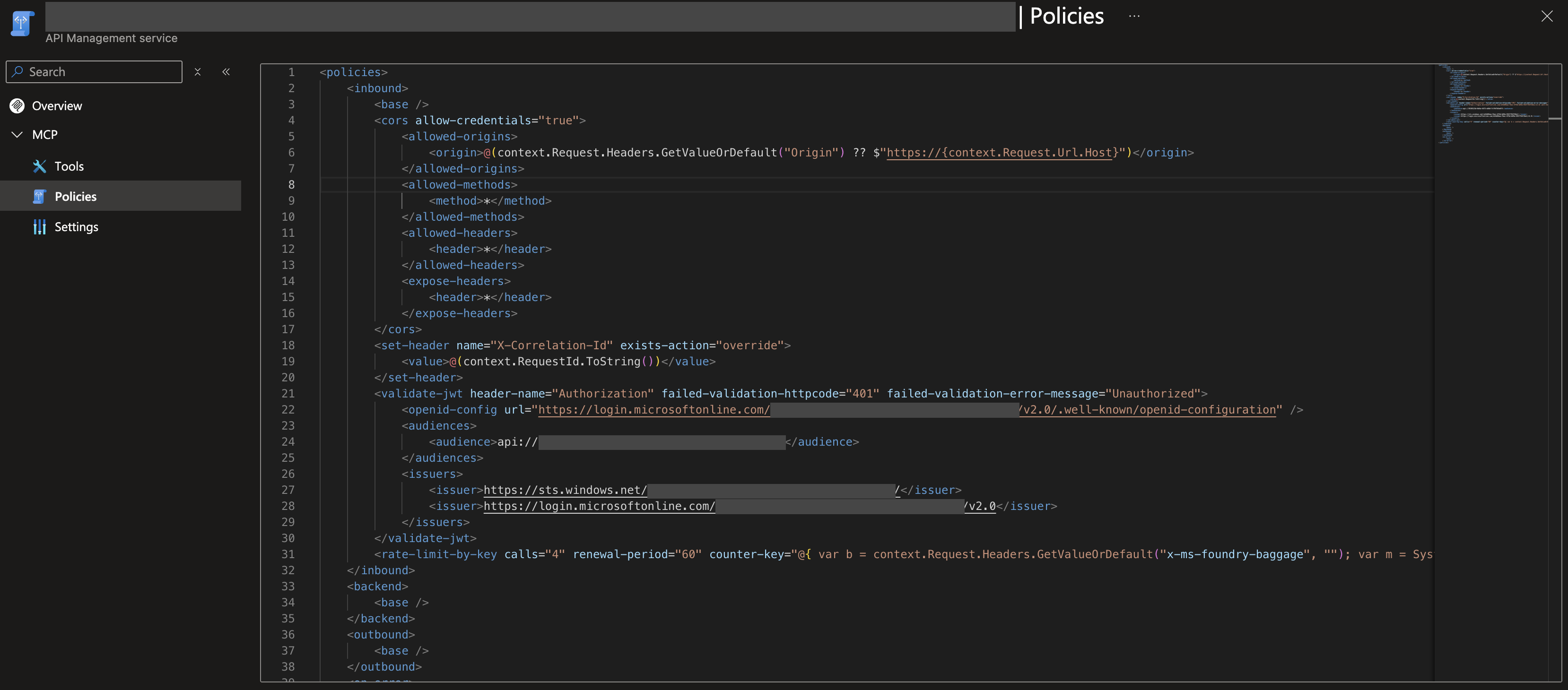
Then I keyed it on the agent name from the baggage header. These are the three elements I added after the cors block that Foundry created:
<set-header name="X-Correlation-Id" exists-action="override">
  <value>@(context.RequestId.ToString())</value>
</set-header>
<validate-jwt header-name="Authorization" failed-validation-httpcode="401" failed-validation-error-message="Unauthorized">
  <openid-config url="https://login.microsoftonline.com/<TENANT_ID>/v2.0/.well-known/openid-configuration" />
  <audiences>
    <audience>api://<API_APP_ID></audience>
  </audiences>
  <issuers>
    <issuer>https://sts.windows.net/<TENANT_ID>/</issuer>
    <issuer>https://login.microsoftonline.com/<TENANT_ID>/v2.0</issuer>
  </issuers>
</validate-jwt>
<rate-limit-by-key calls="4" renewal-period="60"
  counter-key="@{ var b = context.Request.Headers.GetValueOrDefault("x-ms-foundry-baggage", ""); var m = System.Text.RegularExpressions.Regex.Match(b, @"foundry\.caller\.agent\.name=([^,]+)"); return m.Success ? m.Groups[1].Value : "unknown"; }" />
For a limit per user use this counter key instead: context.Request.Headers.GetValueOrDefault("Authorization","").AsJwt()?.Claims.GetValueOrDefault("oid", "none"). The portal accepted the double quotes inside the attribute, even though that is not well formed XML.
The result in Foundry is a full error message and not a general one like the 403 in the last post:
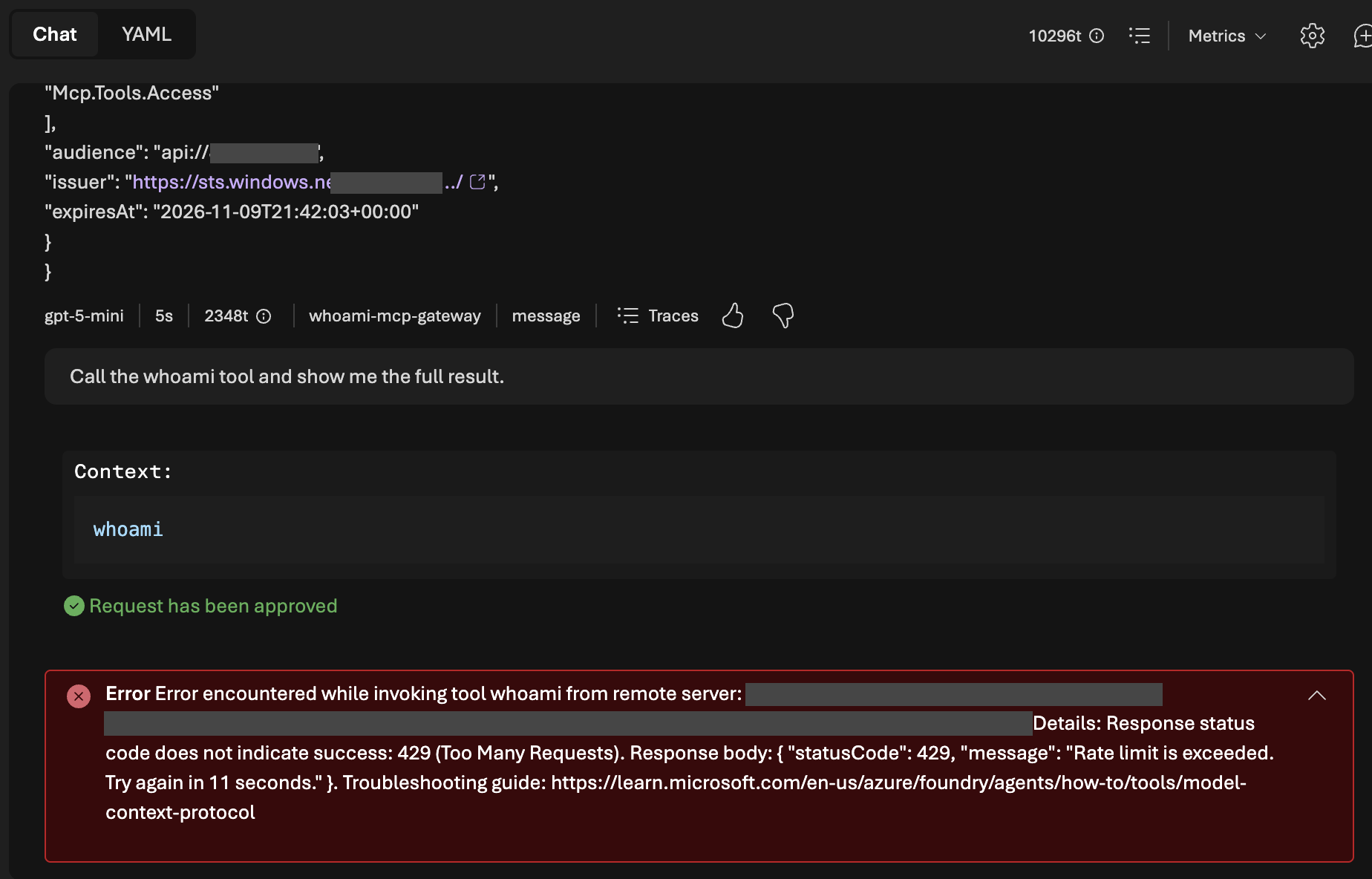
The gateway log shows the same event and the server never saw the call:
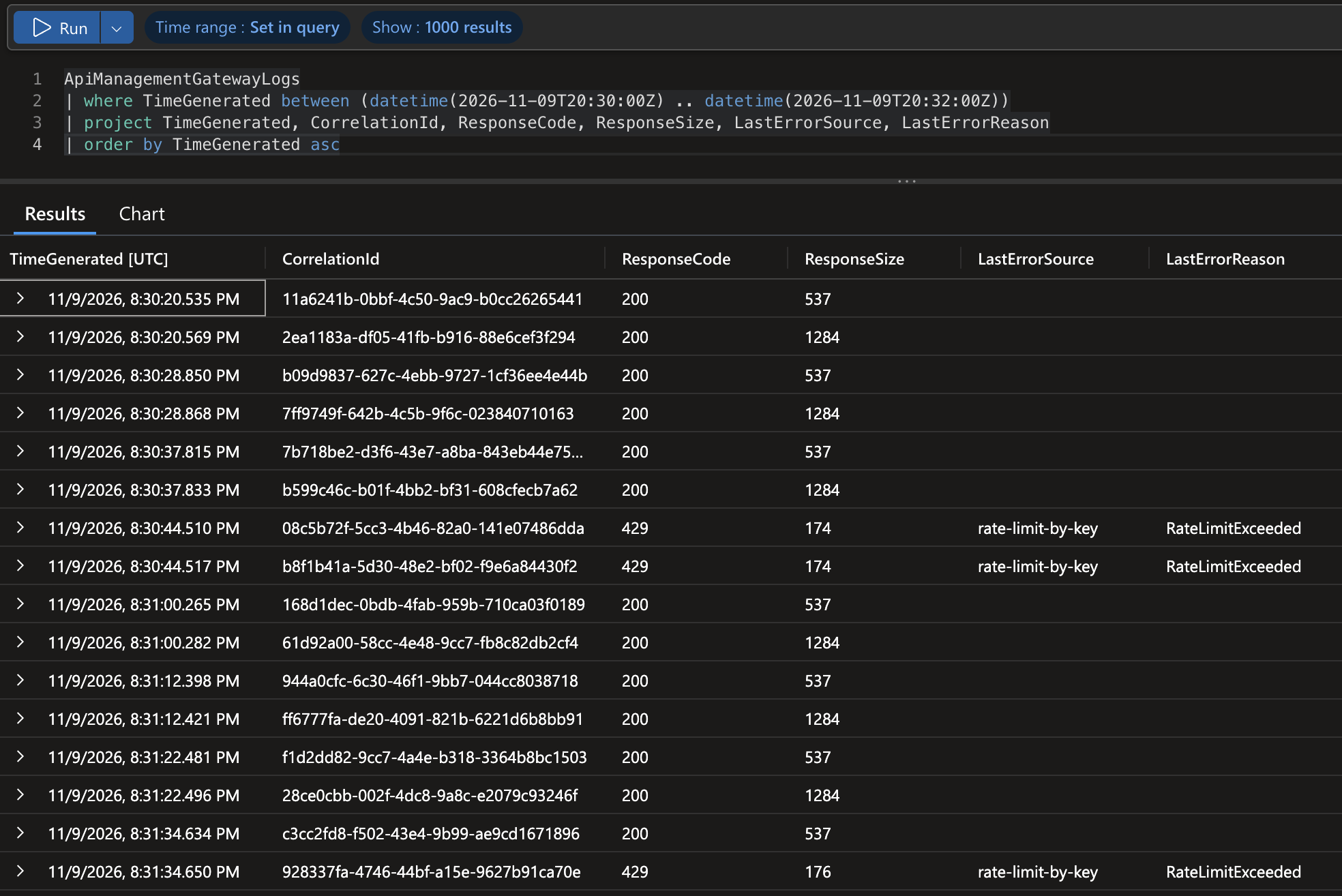
That last detail is the answer to the per agent question. Both agents have the same user and the same token, but each had its own counter.
Some numbers did not match what I configured. The limit counts HTTP requests. One whoami call is two POST requests in the gateway log and a conversation can start with one more pair. I set calls="4" and still six to seven requests passed before the first 429. I do not know how API Management counts here, so I would not promise an exact number of tool calls per minute.
Key insight: There was a second 429 that did not come from the gateway. In one long conversation Foundry stopped with “Your requests to gpt-5-mini … have exceeded token rate limit”. That is the token limit of the model deployment. Each turn sends the whole history again and my tokens per answer grew from 933 to 5259. If you test a tool limit, start a new conversation for each run.
What the gateway enforces and what it does not
A request without a token never reaches the server. I sent a POST without Authorization straight to the gateway address.
| Gateway | Server | |
|---|---|---|
| Status | 401 | 401 |
| Body | { "statusCode": 401, "message": "Unauthorized" } | {"error": "invalid_token", "error_description": "Authentication required"} |
WWW-Authenticate | missing | Bearer error="invalid_token" ... resource_metadata="https://.../.well-known/oauth-protected-resource/mcp" |
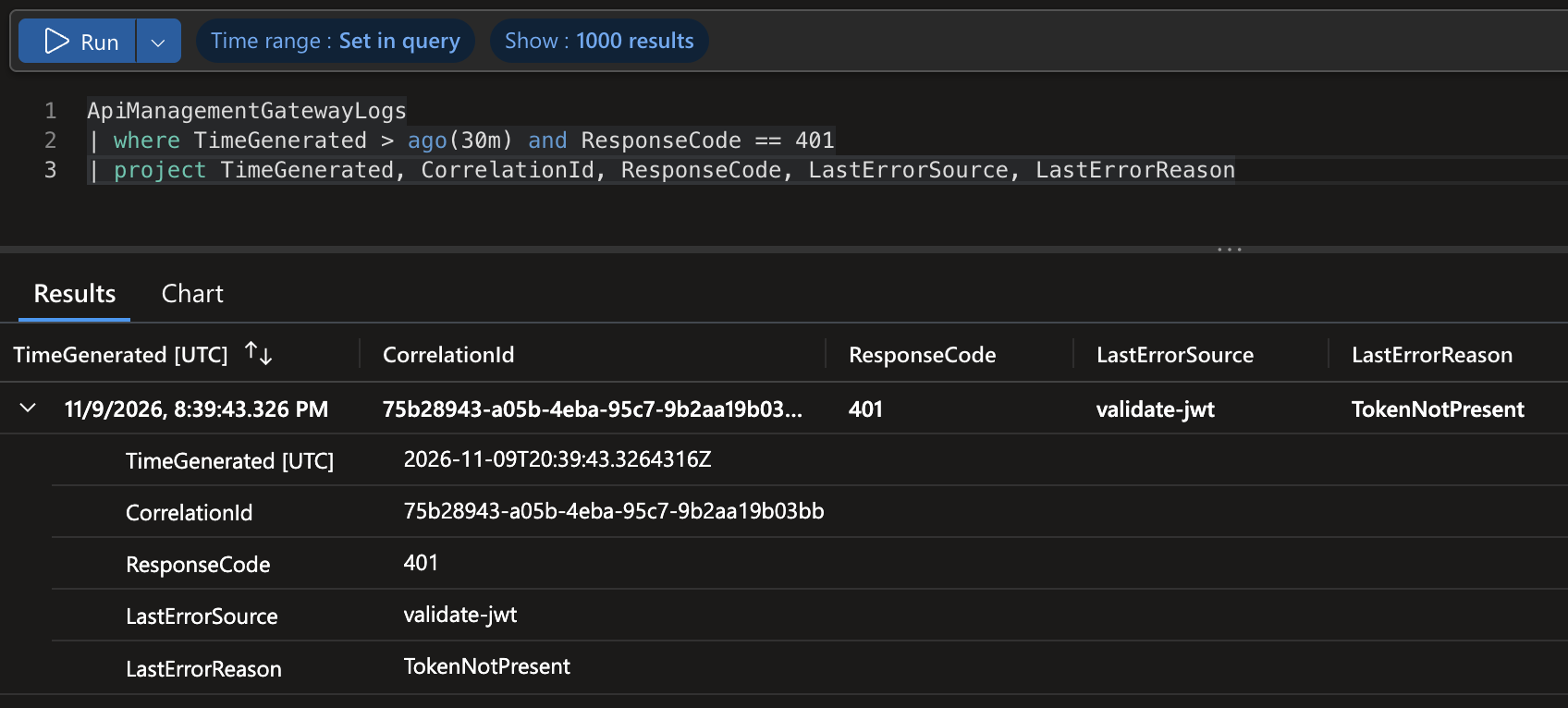
The gateway checked the token before the server saw anything. That is useful: It takes load off the server and it enforces a rule in one place. But note what it checked: signature, issuer and audience of a token. It does not know who may do what. It cannot tell whether this agent may perform this task for this user. The header with the agent name is unsigned, so even the key of my per agent limit is only as trustworthy as the sender.
So the three layers do different jobs. The token says which user and which client. The header says which agent, as a hint. The gateway applies rules to what it can see. None of them express a mandate: “this agent may do this task for this user”. That stays an open question and it is not something a rate limit solves.
What I did not test
- A run without the gateway: I could not switch it off for the project, so I do not know which headers the gateway adds.
- How API Management counts: Six to seven requests passed with
calls="4". I did not test a condition on the headermcp-method. - A token with the wrong audience: I only tested a request without a token.
- A second user: That each user has an own counter follows from the key. I did not see it with a second account.
- Forging the agent header: That a client can set it follows from the design. I did not test it.
- Tool traces: The docs say the gateway does not log them. I did not check.
- Models through the gateway: I only looked at the MCP tool.
- Managed OAuth and other tool types: The docs say they are not routed.
Cost and cleanup
API Management costs money until you delete the instance. Disabling the project or deleting the gateway in the Foundry portal does not delete it. The docs say to delete the instance with the same name as the gateway in the Azure portal. A deleted instance stays soft deleted for a while and az apim deletedservice purge removes it for good. My instance ran for about five hours. My teardown script now deletes the resource group, both app registrations and the soft deleted instances and ends with a check that lists what is left. The Log Analytics workspace for the gateway logs was in the same resource group.
The demo repo
The code for this post is in the demo repo under the tag post-4. It has the extended audit line with the header names and the optional AUDIT_HEADER_VALUES, 29 unit tests and the policies in deploy/gateway/. The setup and the teardown are in deploy/.
Conclusion
Behind the AI gateway the server sees the same user as before. The gateway enforces simple rules at one place and shows its decision to the agent in full. For agents there is a hint in a Foundry header and nothing signed. If you need to know who may do what, the gateway is a good place to enforce a decision. It is not the place that owns it.